
LET OP: Aankopen verlopen via de App Store, controleer daar altijd de meest actuele prijs, compatibiliteit en andere informatie. Je hebt een actief Apple account nodig om apps te installeren.
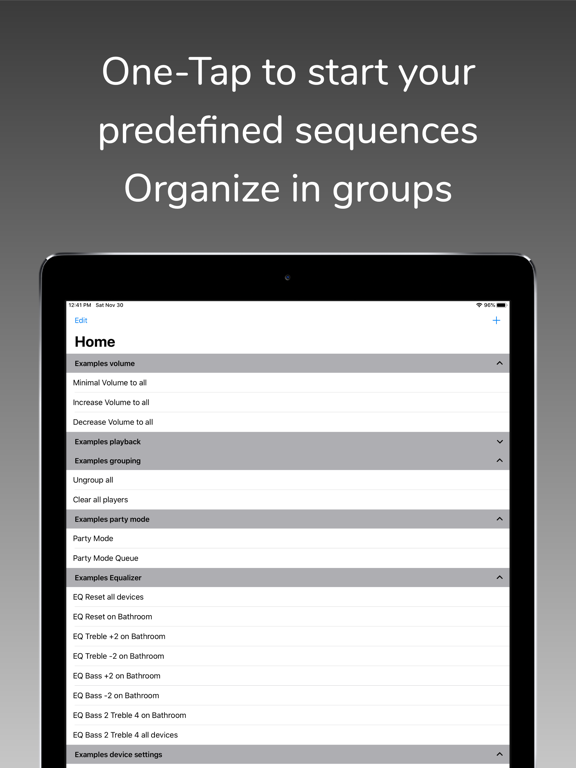
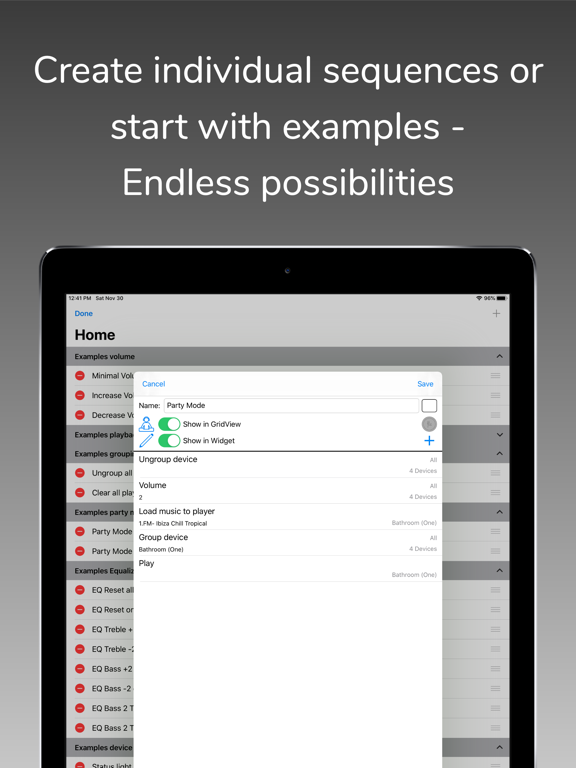
With SonoSequencr you can create individual sequences to perform recurring tasks with just one click.
If you have multiple Sonos devices and want to play a radio station on all of them, it takes some time to set this up. With SonoSequencr, all you have to do is open the app and tap your previously created sequence.
You can lock your iOS device or use another app while your sequence is running in the background.
Of course, you can also start it from the widget (The Today widget is only available up to and including iOS 17), Apple Watch or using Flic Buttons.
Here are some examples:
- Group kitchen and dining room, set volume to 5, start a radio station and set a sleep timer to 2 hours
- Switch your Playbar in the living room to the TV input, set the volume to 40, add dining room and set the equalizer settings for both devices to neutral
- Disable the subwoofer and enable voice enhancement + night mode on the Playbar in the living room
- Set the equalizer settings for all your devices to specific values
- Disable touch on speaker and enable status light for all your devices
- Set the volume of the kitchen and living room to the same value as in the dining room
- Make an announcement with your individual text in the children's room
- etc...
Each of these examples, created once, requires only one tap in the widget or on your Apple Watch.
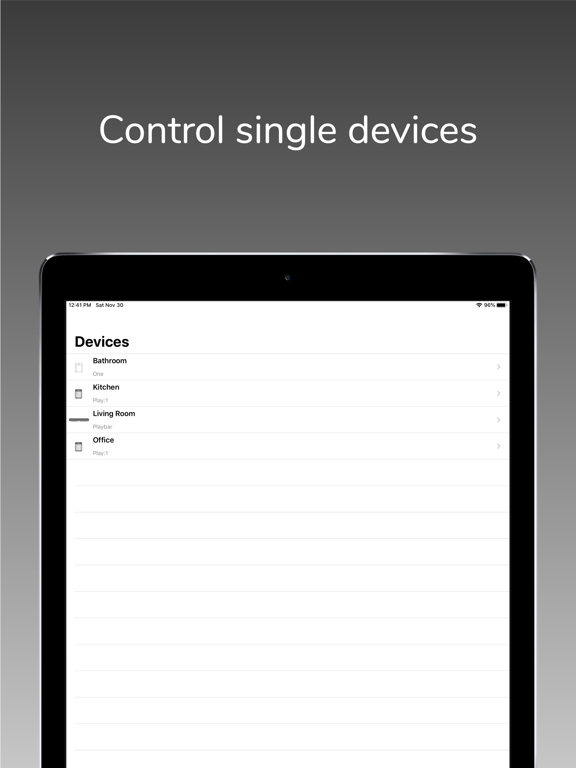
SonoSequencr also includes a restricted mode. This allows you to restrict control to specific devices, among other things.
Using an optional in-app purchase, you can also start sequences at specific times or via external triggers like IFTTT. Of course, this requires that the iOS device is on the same network as your Sonos devices at the time. For intensive use of external triggers, it is recommended to run SonoSequencr in 'server mode'. In this mode, SonoSequencr is always running in the foreground on a dedicated iOS device.
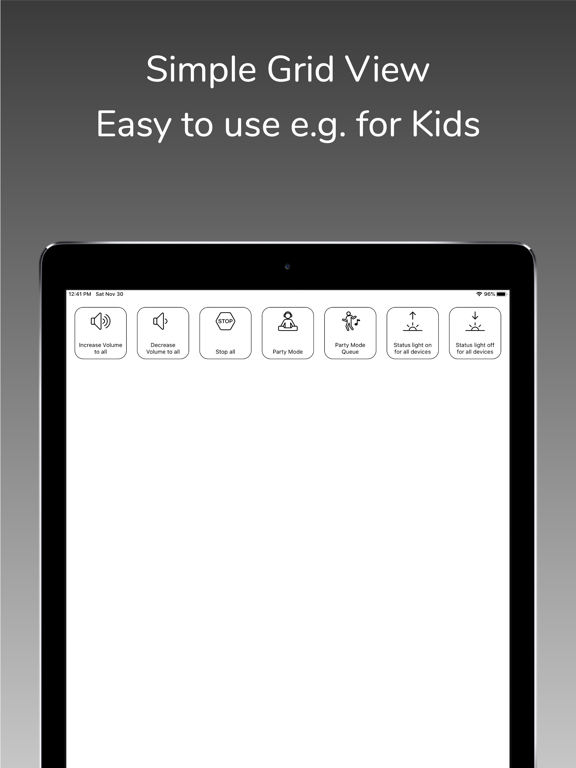
There are many more features like grid view, create dynamic alarms, HTTP requests, launch other apps, automatic battery charging in server mode, transfer sequences between devices, etc....
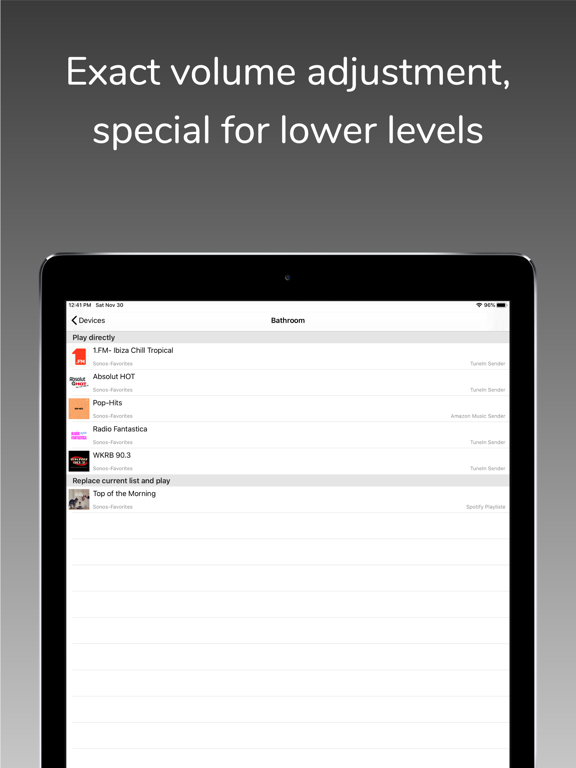
You can only use music (radio streams/tracks/albums) for your sequences that are stored in your Sonos Favorites (My Sonos) or in your TuneIn radio stations. You can't search your entire music library in this app. Just add your most used music to my Sonos then it can be used in your sequences.
The Timed Sequences feature is only available with an optional in-app purchase 'Premium'. With this automatically renewing subscription, up to 20 sequences can be run at freely configurable times. The function is only active as long as a valid subscription exists. The costs are billed via the iTunes account. The subscription will be renewed automatically within 24 hours before expiration (same time and costs), unless it is cancelled before in 'Settings' -> 'Manage Subscriptions' or in the iTunes settings.
To use this app you must have a working Sonos system. SonoSequencr supports Sonos software 1 and 2.
For terms and conditions and privacy policy see:
https://celltekk.de/sonosequencr/help/privacy
This is not an official Sonos app.
--
SonoSequencr van Marcus Pleintinger is een app voor iPhone, iPad en iPod touch met iOS versie 15.0 of hoger, geschikt bevonden voor gebruikers met leeftijden vanaf 4 jaar.
Informatie voor SonoSequencris het laatst vergeleken op 13 Oct om 21:49.
Informatie
- Releasedatum:15 Apr 2015
- Bijgewerkt:1 Oct 2026
- Versie:10.0.0
- Compatibiliteit:Vereist iOS 15.0 of nieuwer. Compatibel met iPhone, iPad en iPod touch.
- Grootte:16.6 MB
- Leeftijd:4+ jaar
- Beoordeling:4.4 van 5
- Categorie:
Nieuw in versie 10.0.0
- New MQTT support in Server-Mode. SonoSequencr can now send its status to Home Assistant or other smart home systems, and sequences can be started from there. Optionally with automatic setup via Home Assistant Discovery.
- New "Subwoofer Crossover" command added to set the subwoofer's crossover frequency.
- Added support for new Beam Ultra.
- Support for iOS 27 and iPhone Duo. iOS 15 and watchOS 9 or later are now required.
- sonosequencr:// links can now be opened directly in the web tab.
- Fixed a possible crash when several commands were sent to a device that is switched off.
- Various other bug fixes and improvements.
For questions, feature requests, or support, please visit the Settings page to access online help, open a support ticket, or join r/sonosequencr on Reddit.
Prijsgeschiedenis
4 geschreven reviewsRecensies
Front speakers
MeerHet ging mij om het plaatsen van 2 extra Era 300 speakers als front. Dit is helemaal gelukt. Nu Arc Ultra, SW en 4 x era 300. Klinkt fantastisch. Alleen Trueplay werkt niet.
4door Luu***26/09/2025Not bad
MeerNot a bad app, but not easy to use and therefor not one i often use.
However, integration with workflow/shortcuts would make this app infinitly more usefull. I hope they are working on that.3door Ivo****23/09/2018Creat a sterks pair!
MeerWith this app your able to create a steep a pair of a Sonos Play:1 and Sonos One. Make sure you make the master is the one and the slave is 1
5door Mas*******31/03/2018
Reageer op deze app
Dit vind je misschien ook leuk

Laatste reacties
- Soundmaster zei over UNDOK: "UNDOK werkt niet meer na installatie iOS27! Alle richtlijnen..."
- Ryan zei over James-Horeca: "Zeer teleurstellende ervaring Helaas heb ik een erg negatieve..."
- Ro Rare zei over myOpel: "LoL dat een company als Opel zo'n slecht functionerende..."
- Jo zei over Word Domination: "Leuke ap enkel wel heel jammer als je een nieuwe booster wilt..."
- Marc Van Hoey zei over Belfius Mobile: "beste, iPadgebruik, na laatste update, app. belfius mobile,..."
- Sanne zei over GoWish: "Ik heb deze eerst gebruikt, maar toch wel erg Amerikaans.. Ik..."
- Frederik Visser zei over Talkie: Tekst naar Spraak: "Ik ben op zoek naar ervaringen van gebruikers van de pro..."
- Frederik Visser zei over Talkie: Tekst naar Spraak: "Ik ben op zoek naar ervaringen van gebruikers van de pro..."
- Mario van Gool zei over Vue NL: "1 groot drama. Account van mijn zoon niet meer in te loggen...."