LET OP: Downloads verlopen via de App Store, bekijk daar altijd de meest actuele prijs, compatibiliteit en andere informatie. Je hebt een actief Apple account nodig om apps te installeren.
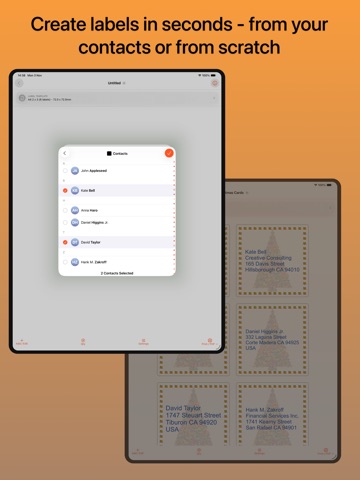
Print address and mailing labels directly from your iPhone or iPad with Label Printer. Create and print entire sheets of labels using addresses from your Contacts — no computer, Word document or complicated mail merge required.
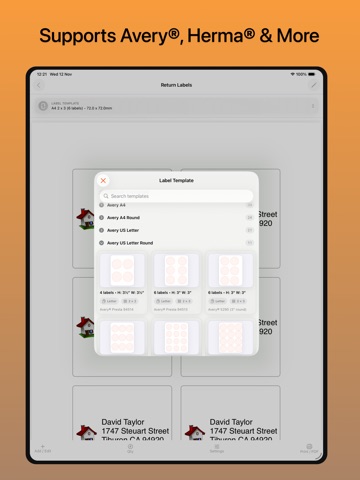
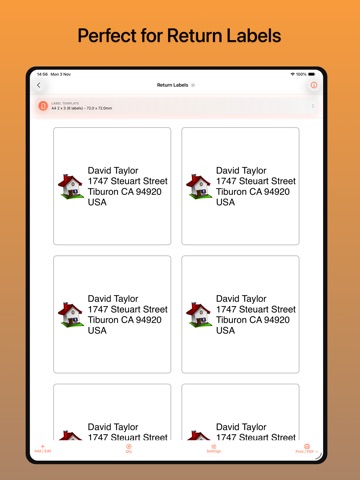
Perfect for Christmas cards, holiday cards, invitations, return address labels, parcels, business mailings and everyday post. Label Printer supports popular Avery®, Herma and Unistat label sheet sizes.
EASY ADDRESS LABELS
Select people directly from your iPhone or iPad Contacts and quickly turn their addresses into ready-to-print labels. Edit individual labels where needed and create a whole mailing list in minutes.
PERFECT FOR CHRISTMAS CARDS
Save time addressing Christmas and holiday cards. Choose the people you want from Contacts, create your address labels and print an entire sheet at once.
WORKS WITH POPULAR LABEL SHEETS
Choose from a wide range of common Avery®, Herma and Unistat label formats.
USE EVERY LABEL ON THE SHEET
Already used part of a sheet? Choose where printing should start so you can use the remaining labels rather than wasting the whole sheet.
MORE THAN JUST ADDRESS LABELS
Create labels containing your own text and images for organising, products, boxes, name labels, return addresses and much more. Save reusable designs and templates for labels you print regularly.
PRINT OR SAVE AS PDF
Print directly from your iPhone or iPad using an AirPrint-compatible printer, or create a PDF that you can save, share or print elsewhere.
SIMPLE, FLEXIBLE LABEL DESIGN
• Add and format text
• Add a photo or one of the included clipart images
• Import names and addresses from Contacts
• Create reusable label templates
• Choose from popular label sheet sizes
• Print full or partially used sheets
• Print multiple copies
• Preview before printing
• Print with AirPrint
• Save and share as PDF
NO COMPUTER REQUIRED
Everything can be done directly on your iPhone or iPad. Whether you're printing a few return address labels or hundreds of Christmas card labels, Label Printer makes printing label sheets quick and straightforward.
Label Printer is an independent app and is not affiliated with or endorsed by Avery, Herma or Unistat. Avery, Herma and Unistat are trademarks of their respective owners.
--
Label Printer • Print Labels van Richard McKenna is een app voor iPhone, iPad en iPod touch met iOS versie 17 of hoger, geschikt bevonden voor gebruikers met leeftijden vanaf 4 jaar.
Informatie voor Label Printer • Print Labelsis het laatst vergeleken op 12 Oct om 23:32.