
LET OP: Downloads verlopen via de App Store, bekijk daar altijd de meest actuele prijs, compatibiliteit en andere informatie. Je hebt een actief Apple account nodig om apps te installeren.
Most ear-training apps are multiple-choice quizzes. You hear something, you tap a label. You get good at recognising labels.
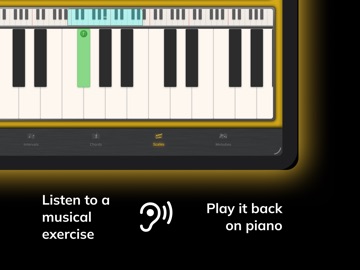
Good Ear is built for the other half of the skill. You hear an interval, a chord or a melody — in real harmonic context, with the home chord ringing under it — and you play it back on a real piano keyboard. The same skill you use when you transcribe a solo, sing a part you've never seen, or hear a chord change for the first time.
WHO ACTUALLY USES GOOD EAR
– Self-taught musicians who've hit the plateau where their ears can't keep up with their playing
– College and conservatory students preparing for aural-skills, theory or entrance exams
– Jazz players, producers and session musicians who transcribe by ear
– Vocalists and instrumentalists learning to sing and play what they hear
– Teachers and educators looking for a structured aural-skills tool
THREE THINGS GOOD EAR DOES THAT MOST EAR TRAINERS DON'T
1. PLAY IT BACK ON A REAL KEYBOARD
A scrollable 88-key piano with an overview bar, touch highlighting and multi-touch — the same input method a musician would use at an instrument. Multiple-choice mode is there too if you want fast recognition drills, and you can switch between them at any time. But Melodies mode is keyboard-input only, exactly like dictation in an aural-skills class.
2. HEAR IT IN REAL HARMONIC CONTEXT
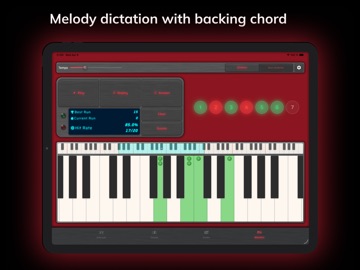
Add a backing chord to interval and melody exercises. The three chord tones light up on the keyboard so you can see the tonal centre you are hearing — and tap them to explore the harmony without affecting your answer. Functional hearing, not abstract pitch detection.
3. DEPTH YOU WILL NOT OUTGROW
No "complete level 1 to unlock level 2." You pick exactly what you train, and the material goes deeper than most ear trainers ever bother:
– 24 intervals, from unison to compound 14ths
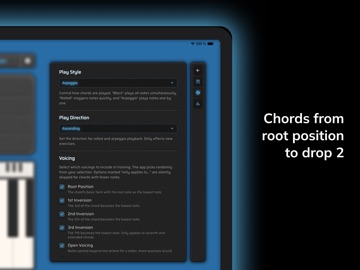
– 39 chord types — triads, seventh chords, extended chords, altered dominants — across root position, first through third inversions, open voicing and Drop 2 (200+ unique variations)
– 32 scales across six families — diatonic modes, harmonic minor modes, melodic minor modes, plus pentatonic, hexatonic and octatonic (whole tone, diminished, bebop included)
– Melodic dictation on melodies of 3 to 11 notes, diatonic or chromatic, three difficulty levels, optional chord backing
From your first major scale to your last bebop mode, in one app.
CONFIGURE EVERY DETAIL
Adjust tempo, playback direction, voicing, inversion, play style, difficulty, melody length, octave range and harmonic backing. Pick exactly which intervals, chords or scales each session contains. The app adapts to your level — you don't have to grind through someone else's curriculum.
KEEP TRACK OF YOUR PROGRESS
Per-element accuracy bars sorted weakest-first show you at a glance which intervals, chords or scales need attention. A 52-week heatmap tracks your practice days, and session records keep your best streak, lifetime accuracy and total exercises. Honest progress data — no badges, no fake levels.
A DARK, PROFESSIONAL INTERFACE
No ads. No distractions. No sign-in. The keyboard is fast, the typography is clean, and nothing gets between you and the next exercise.
GET STARTED
Free to download, with three days of full access. Then unlock the entire library forever with a one-time Lifetime purchase.
Open-source acknowledgements: good-ear.app/acknowledgements
Terms of Use (EULA): https://www.apple.com/legal/internet-services/itunes/dev/stdeula/
Privacy Policy: https://good-ear.app/privacy/
--
GoodEar Pro van Pascal Weiss is een app voor iPhone, iPad en iPod touch met iOS versie 13.0 of hoger, geschikt bevonden voor gebruikers met leeftijden vanaf 4 jaar.
Informatie voor GoodEar Prois het laatst vergeleken op 22 Sep om 23:54.




Informatie
- Releasedatum:2 Oct 2012
- Bijgewerkt:14 May 2026
- Versie:2.0.4
- Compatibiliteit:Vereist iOS 13.0 of nieuwer. Compatibel met iPhone, iPad en iPod touch.
- Grootte:33.0 MB
- Leeftijd:4+ jaar
- Beoordeling:5 van 5
- Categorie:
Nieuw in versie 2.0.4
Sharper chord training. Snappier session flow.
WHAT'S NEW:
- Drop 2 voicings now cycle through all four inversions during chord training — the way they actually sit on the instrument in real playing.
- Stay in the flow with optional auto-advance to the next exercise after a correct answer.
- Now Lifetime — one-time purchase replaces Monthly and Yearly. Existing subscribers continue normally; nothing changes for you.
Happy practicing.
Prijsgeschiedenis
Reageer op deze app
Recent bekeken
Dit vind je misschien ook leuk
 Leuke dierenpuzzels en spelletjes voor peutersGratis!
- Sweet Candy Maker GamesGratis!
- Piano ∞Gratis!
- Baby's eerste spelletjes LTGratis!
- Mijn eerste puzzles: Dinosaurussen - Gratis app voor kidsGratis!
- RINGTONE MAKER #1 for iPhoneGratis!
- Ultimate Guitar: Chords & TabsGratis!
- Spotify: Muziek en podcastsGratis!
Laatste reacties
- Adnan Ali zei over Pindat - Reisblog maken: "Поринути у світ захоплюючих подорожей, відкривати приховані..."
- plinko clicker game zei over Radio 10: "Is there actually any point to this app when you can just..."
- random number generator phone zei over Radio 10: "Ik zag dat de AppWereld-site de app niet meer heeft, klinkt..."
- Ro Rare zei over myOpel: "LoL dat een company als Opel zo'n slecht functionerende..."
- Jo zei over Word Domination: "Leuke ap enkel wel heel jammer als je een nieuwe booster wilt..."
- Marc Van Hoey zei over Belfius Mobile: "beste, iPadgebruik, na laatste update, app. belfius mobile,..."
- Sanne zei over GoWish: "Ik heb deze eerst gebruikt, maar toch wel erg Amerikaans.. Ik..."
- Frederik Visser zei over Talkie: Tekst naar Spraak: "Ik ben op zoek naar ervaringen van gebruikers van de pro..."
- Frederik Visser zei over Talkie: Tekst naar Spraak: "Ik ben op zoek naar ervaringen van gebruikers van de pro..."