Watch Calendar - Monthly
Marcel Mendes Filho
LET OP: Aankopen verlopen via de App Store, bekijk daar altijd de meest actuele prijs, compatibiliteit en andere informatie. Je hebt een actief Apple account nodig om apps te installeren.
Integration features:
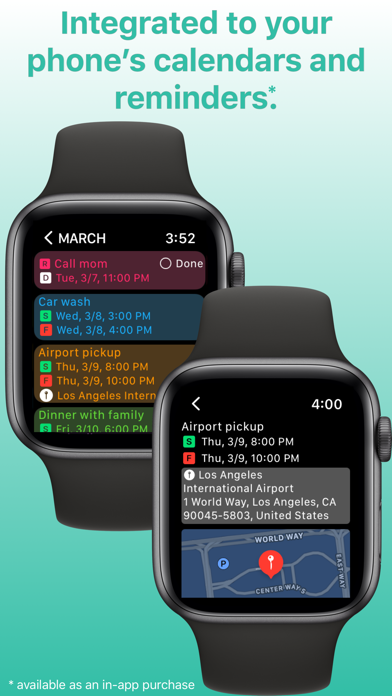
- full integration with your phone's calendars and reminders
- select which calendars and reminders you want to see on your watch
- set calendar priorities for complications when there's conflict between appointments on different calendars
- mark reminders as done on your watch
- next event on Siri watch face
Scenes:
- AI generated colors for your calendars (try for free then purchase tokens for additional AI usage)
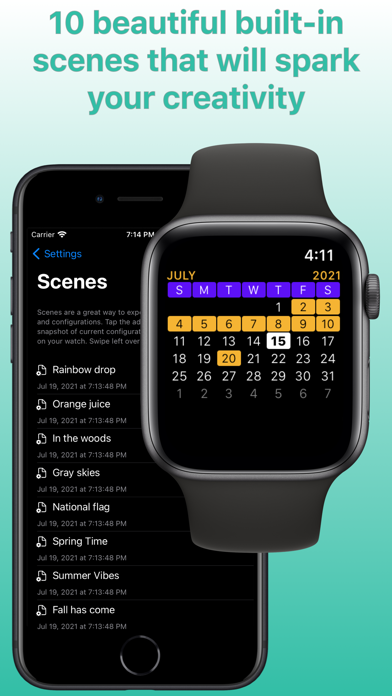
- 10 built-in scenes with beautiful month view and complication colors
- create your own colors combination then save as a scene
- set up time slices to apply on appointments and reminders
- set up badges to use them on your widgets (perfect for identifying multiple widgets on your Home Screen)
- Scenes also saves your selected calendars, reminders and all other configurations
- match scenes to band and watch face colors
- match scenes to calendars
- match scenes to focus filters
Focus filters:
- activate scene on widgets when focus filter is engaged
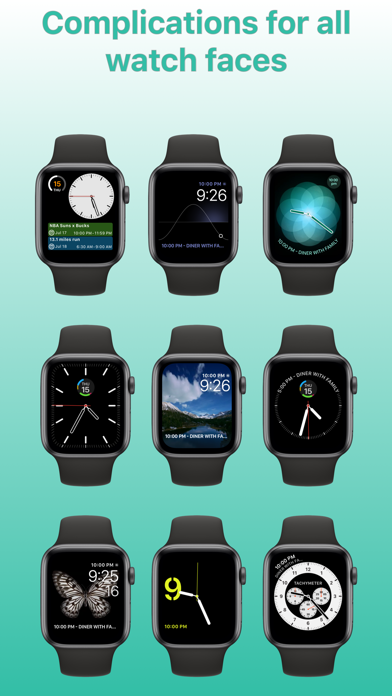
Complications:
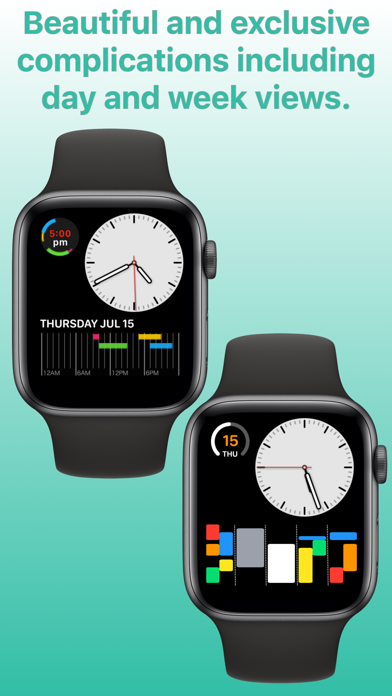
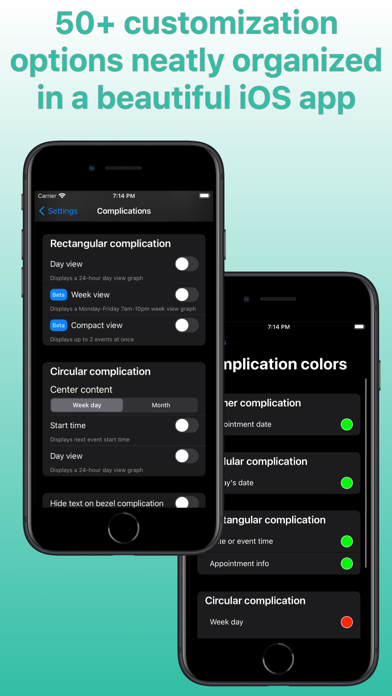
- exclusive rectangular complications:
1) Day View: see all your daily appointments and reminders together in a timeline on your watch face. Tap it and the app will display your next appointment. Supports up to four simultaneous events at a given time.
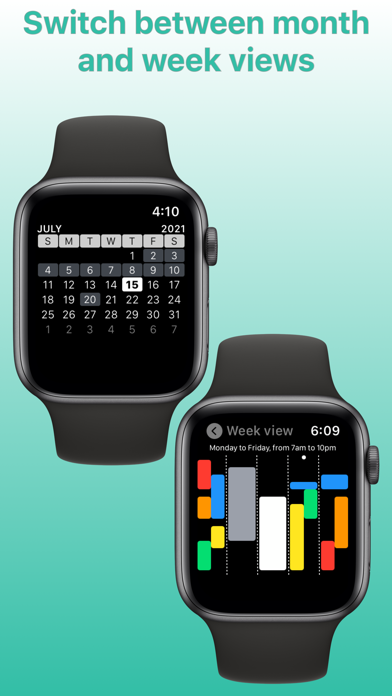
2) Week View: see all your work week events at once (Monday-Friday 7am-10pm window).
3) Compact View: see up to 2 events at once.
- exclusive circular complication:
1) Day View: see all your daily events together in a 24-hour clock on your watch face. Recommended for single and sequential events.
- see next events on all complications
- see today's date, event date or 24-hour digital clock on all complications
Events list:
- tap the month view to list all your events (appointments and reminders)
- your next event will be displayed by default
- tap an event to see event details
- tap on the map to start navigation when the event has a location
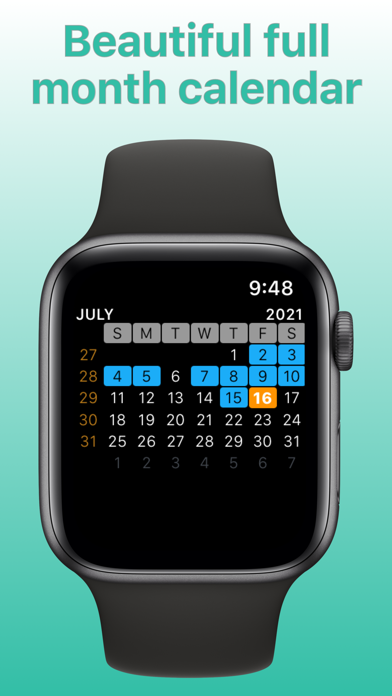
Month view:
- scroll through the months with crown or swipe up and down
- force touch on month view to time travel to any month and year, future or past
- switch between plain view or heat map view
- preview month view in iOS app
Week view:
- scroll through the weeks with crown or swipe up and down
- see full week or work week
- week can start on Sunday or Monday
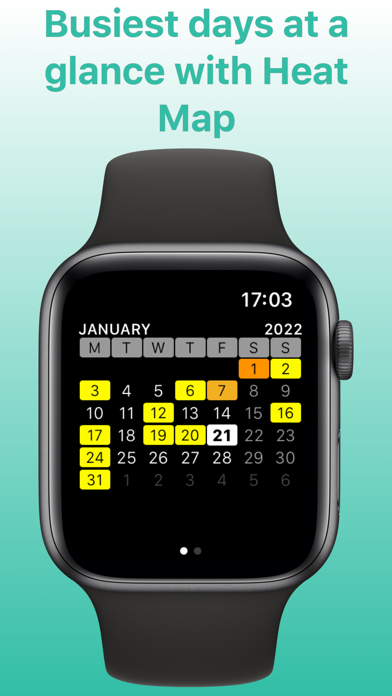
Heatmap:
- Activate heat map on your watch to glance the busiest days on month view
- Choose the color scale for heat map and save it in a Scene
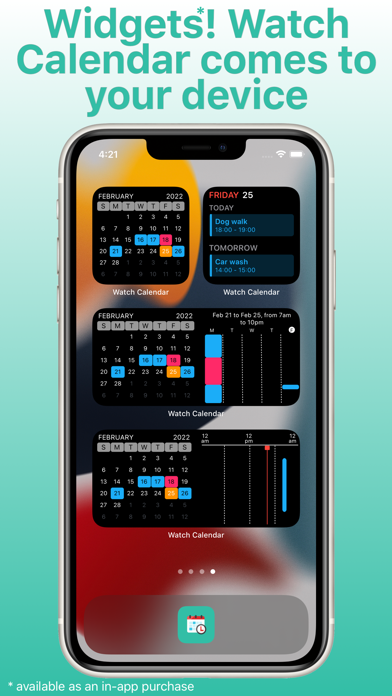
Widgets:
- Calendar view, week view, day view and event list view are available as small and medium widgets
- All widgets are fully customizable and can have their own scenes or mirror watch
- Widgets are available as in-app purchases
- Preview month view widget in iOS app
- Tap on Reminder to mark as done (iOS 17 exclusive feature)
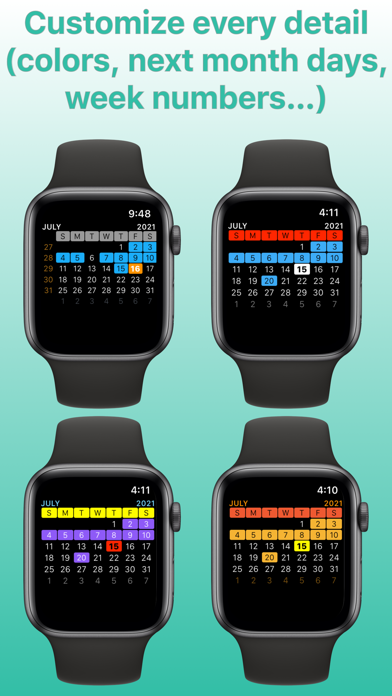
Customizations:
- all calendar colors (today, next month days, events, event today, week day, weekend day, calendar week, month, year)
- corner, circular and rectangular complications colors
- event list and detail font size
- customize "no more events" message on complications
- customize "no more events" color on corner complication
- show/hide all day events on complications
- show/hide location on modular watch faces
- choose when week starts: on Sunday or Monday
- show/hide calendar weeks
- regular or compact event list
- turn on/off haptic feedback while scrolling with crown
- turn on/off privacy to hide complications when watch screen is locked
- use English names for months and week days instead of device's default language
... and much more
Have fun customizing your calendar to your needs!
And you may discover you don't need stock Calendar app anymore ;-)
Follow us on Twitter: @ios_watch
End User License Agreement: https://www.apple.com/legal/internet-services/itunes/dev/stdeula/
Privacy Information: https://www.shopcolecao.com/AWC/privacy.html
--
Watch Calendar - Monthly van Marcel Mendes Filho is een iPhone app met iOS versie 17.6 of hoger, geschikt bevonden voor gebruikers met leeftijden vanaf 4 jaar.
Informatie voor Watch Calendar - Monthlyis het laatst vergeleken op 16 Sep om 22:34.
Informatie
- Releasedatum:28 Feb 2019
- Bijgewerkt:1 Jul 2026
- Versie:9.0.0
- Compatibiliteit:Vereist iOS 17.6 of nieuwer. Compatibel met iPhone, iPad en iPod touch.
- Grootte:18.4 MB
- Leeftijd:4+ jaar
- Beoordeling:2.7 van 5
- Categorie:
Nieuw in versie 9.0.0
Redesigned iOS app, new full background color option on rectangular compact view complication.
Prijsgeschiedenis
Meer van Marcel Mendes Filho

Reageer op deze app
Dit vind je misschien ook leuk
Laatste reacties
- Ro Rare zei over myOpel: "LoL dat een company als Opel zo'n slecht functionerende..."
- Jo zei over Word Domination: "Leuke ap enkel wel heel jammer als je een nieuwe booster wilt..."
- Marc Van Hoey zei over Belfius Mobile: "beste, iPadgebruik, na laatste update, app. belfius mobile,..."
- Sanne zei over GoWish: "Ik heb deze eerst gebruikt, maar toch wel erg Amerikaans.. Ik..."
- Frederik Visser zei over Talkie: Tekst naar Spraak: "Ik ben op zoek naar ervaringen van gebruikers van de pro..."
- Frederik Visser zei over Talkie: Tekst naar Spraak: "Ik ben op zoek naar ervaringen van gebruikers van de pro..."
- Mario van Gool zei over Vue NL: "1 groot drama. Account van mijn zoon niet meer in te loggen...."
- Thijs zei over Burgernet: "Bij het openen van de app komt het bericht ""Er is iets..."
- Barry zei over Klaverjas: "Ik speel met vrienden tegenwoordig op de app ‘Klaverjas..."