LET OP: Aankopen verlopen via de App Store, controleer daar altijd de meest actuele prijs, compatibiliteit en andere informatie. Je hebt een actief Apple account nodig om apps te installeren.
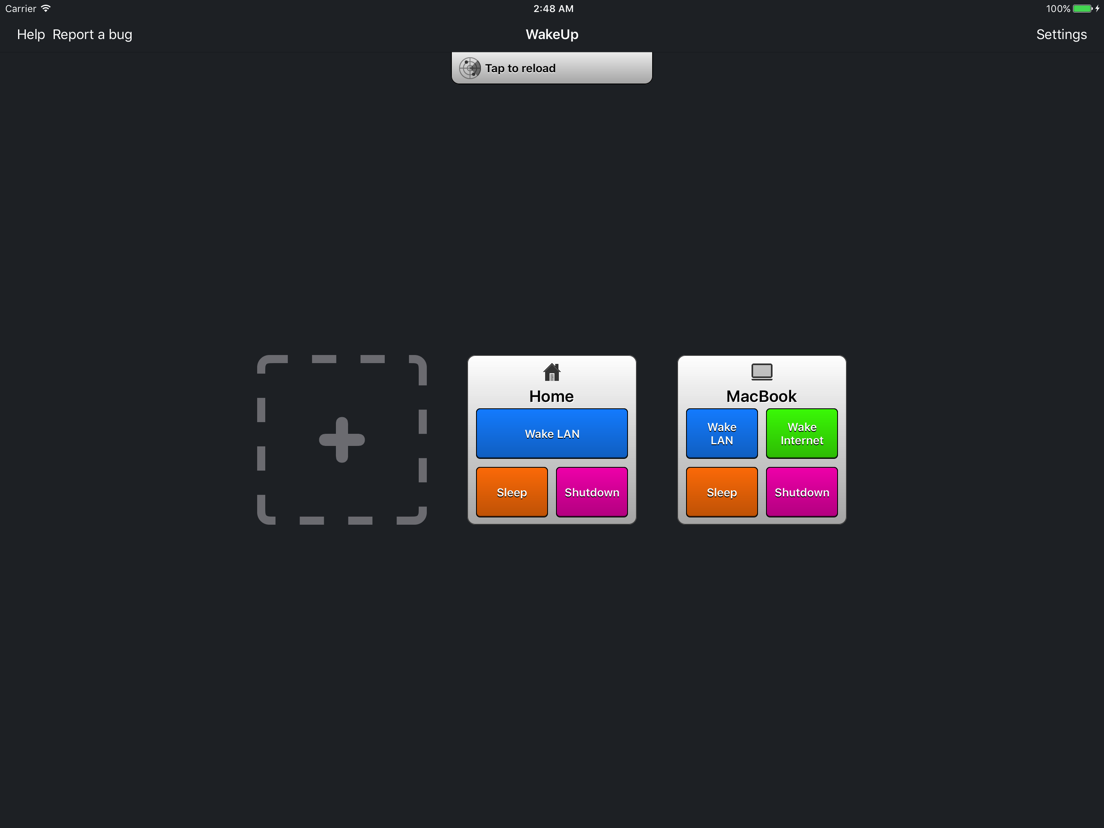
WakeUp is a "Wake on LAN" tool that allows your iPhone/iPod/iPad to wake up a computer via a local network or internet.
--- Features: ---
• Wake / sleep* / shutdown* computer on the local network or via internet**
• Automatically finds computers on the local network (easy setup!)
• LAN broadcast/DNS/IP address support
• SecureOn support
• Add as many computers as you want
• Add group of computers for one-touch wake
• Wake your computers directly from springboard (not compatible with iOS 7 and iOS 8)
• iCloud sync
• Shake'n'wake all devices
• Check if your devices are turned on (only under wifi)
• 6 languages: English, Italian, German, Chinese, Spanish and French
(*) Linux is not supported. Sleep/Shutdown for Windows requires "WakeUp Server" installed on your pc. Download it at www.tommasomadonia.com/wakeup/server/
(**) Your router may not compatible with 'wake over internet'.
--- Typical Uses: ---
• Power on a computer remotely and then use VNC to view files
• Power on your computer to stream files
--- Wake on LAN requisites: ---
• The iPad/iPhone/iPod has to be connected to the same network of your computer
• The computer has to be connected to the router via ethernet cable
• The network cards must support 'Magic Packets' and the computer must be configured correctly
--- Wake over Internet requisites: ---
• Wake on LAN requisites
• The network must be reachable via internet
• The router and the firewall must be configured correctly for the forwarding of 'Magic Packets'
• The router must be capable of forwarding 'Magic Packets' to turned off computers
--- Sleep/Shutdown requisites: ---
Mac OSX.
• 'Remote Login' enabled. (System Preferences > Sharing)
Windows:
• WakeUp Server (tommasomadonia.com/wakeup/server/)
• Java 7+
Linux: (require manual configuration)
• SSH server
• Manual configuration of sleep/shutdown SSH commands
Note: To remotely power on a computer when turned off often requires enabling "Wake on LAN" in BIOS. Mac OSX only support "Wake on LAN" and "Wake over internet" when sleeping.
--
WakeUp - The Wake on LAN tool van Tommaso Madonia is een app voor iPhone, iPad en iPod touch met iOS versie 9.0 of hoger, geschikt bevonden voor gebruikers met leeftijden vanaf 4 jaar.
Informatie voor WakeUp - The Wake on LAN toolis het laatst vergeleken op 28 Sep om 18:58.