
LET OP: Aankopen verlopen via de App Store, bekijk daar altijd de meest actuele prijs, compatibiliteit en andere informatie. Je hebt een actief Apple account nodig om apps te installeren.
Voor iedereen ter wereld die zorgeloos wil tekenen en animeren.
ibisPaint is een volwaardige app voor illustratie en animatie voor smartphones en tablets, met meer dan 500 miljoen downloads in de hele reeks.
"Tekenen lijkt moeilijk" — deze app is juist gemaakt voor mensen die dat denken. Een creatieve ervaring zonder compromissen, een heldere en intuïtieve bediening waar je zonder aarzelen mee aan de slag kunt, en een vertrouwd gevoel dat groeit naarmate je de app vaker gebruikt. ibisPaint blijft voor iedereen een laagdrempelige toegangspoort om te beginnen met tekenen, terwijl de creatieve mogelijkheden steeds verder worden uitgebreid: van één tekening naar animatie beeld voor beeld, tot video's met muziek en geluid.
Deze app is de advertentievrije versie van ibisPaint X. Om alle functies te ontgrendelen is bovendien de aankoop van een Premium-lidmaatschap (in-app-aankoop) vereist; in dat geval is het voordeliger om ibisPaint X te downloaden en daar het Premium-lidmaatschap aan te schaffen.
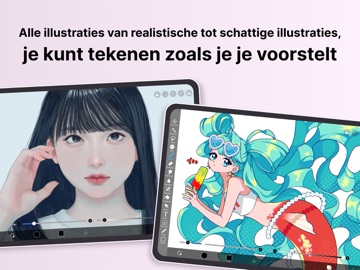
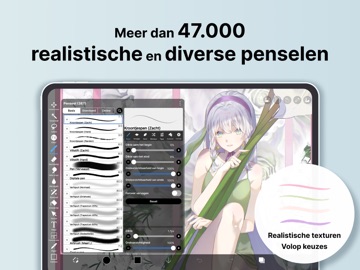
Met meer dan 130.000 penselen, meer dan 30.000 materialen, meer dan 3.000 lettertypen, 86 beeldbewerkingsfilters, 46 rasters, 27 laagmengmodi, vectortools, een referentievenster, radiale en symmetrische linialen, bewegende filters en een AI-storingfunctie, biedt de app volwaardige functies die niet onderdoen voor illustratiesoftware op de pc. Je kunt niet alleen illustraties tekenen, maar ook animaties maken en zelfs het hele creatieproces vastleggen en delen als time-lapsevideo — allemaal in één app. Wereldwijd gekozen door mensen van elke leeftijd, elk land en elk ervaringsniveau.
*YouTube-kanaal met tekenlessen
We publiceren veel video's over hoe je optimaal gebruikmaakt van ibisPaint. Abonneer je gerust!
https://youtube.com/ibisPaint
*Ondersteunde digitale stylussen
https://ibispaint.com/stylus/supported_digital_stylus.jsp?platformType=1
*Over de aankoopplannen
https://ibispaint.com/lecture/index.jsp?no=26
* Als je de automatische verlenging niet minstens 24 uur voor het einde van de gratis proefperiode annuleert, wordt er bij verlenging automatisch geld in rekening gebracht.
*Over de toegangsrechten van de app
Deze app kan toegang vragen tot verschillende functies van je apparaat om de dienst te leveren en het gebruiksgemak te verbeteren. Geen enkel toegangsrecht is verplicht om deze app te gebruiken — alle onderstaande rechten zijn optioneel. Je kunt ervoor kiezen deze optionele rechten niet toe te staan. Zelfs als je dit weigert, blijven de basisfuncties van de app beschikbaar, al kunnen sommige functies die het betreffende recht vereisen beperkt zijn.
•Afbeeldingen/video's in je fotobibliotheek
Om werkbestanden en afbeeldingen te importeren, en om gemaakte werkbestanden, afbeeldingen en video's op te slaan
•Audio-invoer via de microfoon
Om verbinding te maken en te communiceren met compatibele randapparatuur zoals digitale stylussen
•Bluetooth-communicatie
Om verbinding te maken en te communiceren met compatibele randapparatuur zoals digitale stylussen
•Verzenden van pushmeldingen
Om meldingen over je werk, informatie over app-updates en belangrijke mededelingen te leveren
*Vragen en probleemmeldingen
We kunnen niet reageren op vragen of probleemmeldingen in reviews. Neem in dat geval contact op met onze klantenservice via onderstaande link.
https://ssl.ibis.ne.jp/en/support/Entry?svid=25
*Gebruiksvoorwaarden van ibisPaint
https://ibispaint.com/agreement.jsp
--
ibis Paint van ibis inc. is een app voor iPhone, iPad en iPod touch met iOS versie 15.0 of hoger, geschikt bevonden voor gebruikers met leeftijden vanaf 4 jaar.
Informatie voor ibis Paintis het laatst vergeleken op 26 Oct om 09:54.






Informatie
- Releasedatum:21 Jun 2011
- Bijgewerkt:25 Sep 2026
- Versie:14.1.2
- Compatibiliteit:Vereist iOS 15.0 of nieuwer. Compatibel met iPhone, iPad en iPod touch.
- Grootte:124 MB
- Leeftijd:4+ jaar
- Beoordeling:4.7 van 5
- Categorie:
Soms/Milde volwassen/suggestieve thema’s;
Soms/Mild realistisch geweld;
Soms/Mild animatiegeweld of fictief geweld.
Nieuw in versie 14.1.2
Thank you for using ibisPaint!
The summary of this update is as follows.
[Improvements, Changes]
- Changed the orientation in which you place the Q6W tablet so that its keys are on the left when the screen is in portrait.
[Fixed Bugs and Problems]
- Fixed an issue where, when there was a Selection Area, a shape drawn with Smart Shape on a Vector Layer could be distorted after being applied.
- Fixed an issue where the app could crash when returning to My Gallery with a keyboard shortcut while a tutorial was displayed.
- Fixed an issue where Text Layers and Frame Layers were not changed correctly when changing the image resolution of an artwork containing them.
- Fixed an issue where the message explaining why a command could not be run was not displayed for certain combinations of layer type and keyboard shortcut.
- Fixed a bug where the app could crash when applying "Translate Scale" in the Transform tool on a vector layer while a selection was active.
- Fixed a bug that could cause a crash when drawing after canceling a stroke with the Shape Tool and then turning the Shape Tool off.
- Fixed an issue where turning on Cloud Sync while logged out did not redirect you to the login screen.
- Fixed an issue where, while logged out, performing an operation on a cloud artwork that had not been downloaded did not redirect you to the login screen.
- Fixed an issue where small kana such as "っ" and "ゃ" appeared too high in vertical text in the Text tool. If you want this applied to an existing text, please re-edit the text or modify the style.
[New Features in ver. 14.1.0]
- Added the ability to customize Stabilizer and Force Fade settings individually for each brush.
- Added two Real time stabilization modes: Constant and Fast Strokes.
- Improved the brush tool’s stroke-tracking responsiveness and made the fade length consistent. You can return to the previous drawing feel from the Settings window via "Brush Prediction" . You can also configure this per brush with the brush parameter “Disable Prediction”.
- Added the brush parameters "Fade Start Time" and "Fade End Time".
- Added the ability to add audio to animation artworks.
- Added keyboard shortcuts for playing/stopping an animation and for adding and deleting clips in animation artworks.
- Added a "3D Layer" feature that lets you place 3D materials.
- Added a “Smart Shapes” feature that automatically corrects freehand drawings into “straight lines,” “Bézier curves,” and other shapes.
- Added "Relief HQ" filter to "Style" filter category.
- Added "Smart Credits" — a points system required to access some of the advanced features in ibisPaint (referred to as "Smart Features"). Credits can be purchased from each Smart feature, and your balance can be viewed in the Settings window.
- Added keyboard shortcuts for actions such as displaying the ruler and adding vector layers.
- Added keyboard shortcuts to switch between custom brushes.
- Added a "Solo Mode" feature that displays only the specified layer.
- Added a Premium feature that moves deleted artworks to “Recently Deleted Artworks” and retains them for 30 days.
- Added "Oil Paint" filter to "Artistic" filter category.
- Enhanced the Trim feature. You can now enter Position, Width, and Height as numerical values, specify a crop area that extends beyond the original canvas, and trim while rotating the canvas.
- You can now undo and redo adjustments while using the Transform Tool.
- The mouse cursor now changes depending on the situation. This setting can be changed in the "Cursor" section of the Settings window.
- When using a stylus with hover functionality, the cursor is now displayed at the hover position. This setting can be changed in the "Cursor" section of the Settings window.
- Improved the design of rulers to be less obtrusive while drawing, and added the ability to change the ruler color.
- Added "Touch History Completion", which captures more touch points (enable from the Settings window).
Prijsgeschiedenis
4 geschreven reviewsRecensies
Goed
MeerGoede teken app! Het is heel makkelijk begrijpbaar en het werkt goed! De kleuren ook! En als je op een afbeelding wil tekenen dan kan dat ook!
5door Kat*******27/04/2026Beste tekenprogramma ooit
MeerVoor ieder tekenaar een aanrader er zitten meer mogelijkheden in dan ik weet en gebruik
5door She*******10/11/2020Super Goed!
MeerSuper good almost everything on the app is for free, you can do anything you want with it it’s absolutely amazing.
5door Mie*******19/04/2020
Meer van ibis inc.

Reageer op deze app
Dit vind je misschien ook leuk
Laatste reacties
- Jolanda Smit zei over pym. Je fotoboek, al klaar: "Sinds 2013 al een gebruiker en sindsdien (zo goed als) elke..."
- Ludo zei over HERE WeGo Kaarten & Navigatie: "Op de iPhone is HereWeGo een goede navigatie app, echter met..."
- Soundmaster zei over UNDOK: "UNDOK werkt niet meer na installatie iOS27! Alle richtlijnen..."
- Ryan zei over James-Horeca: "Zeer teleurstellende ervaring Helaas heb ik een erg negatieve..."
- Ro Rare zei over myOpel: "LoL dat een company als Opel zo'n slecht functionerende..."
- Jo zei over Word Domination: "Leuke ap enkel wel heel jammer als je een nieuwe booster wilt..."
- Marc Van Hoey zei over Belfius Mobile: "beste, iPadgebruik, na laatste update, app. belfius mobile,..."
- Sanne zei over GoWish: "Ik heb deze eerst gebruikt, maar toch wel erg Amerikaans.. Ik..."
- Frederik Visser zei over Talkie: Tekst naar Spraak: "Ik ben op zoek naar ervaringen van gebruikers van de pro..."