Watch Faces by Facer
Little Labs, Inc.
LET OP: Downloads verlopen via de App Store, bekijk daar altijd de meest actuele prijs, compatibiliteit en andere informatie. Je hebt een actief Apple account nodig om apps te installeren.
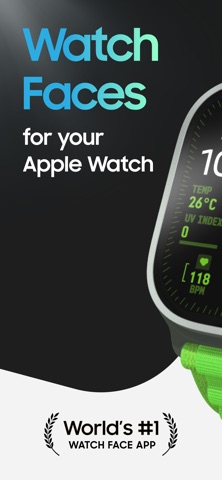
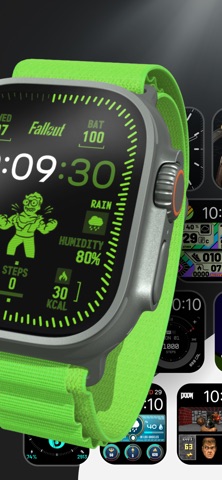
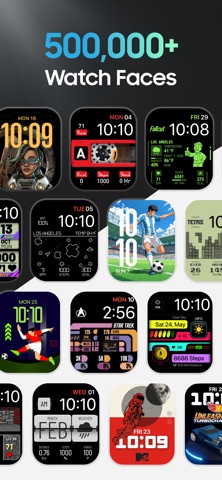
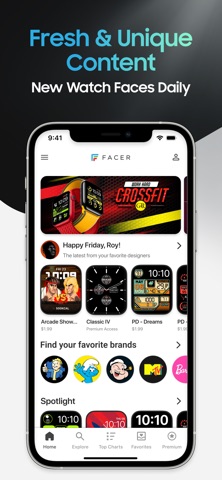
Explore 500,000+ Apple Watch faces with Facer, including thousands of free designs and officially licensed brands like Fallout, Star Trek, Tetris, Pac-Man, and more!
From classic analog styles and fitness dashboards to playful characters, pop culture favorites, and artistic designs, Facer helps you personalize your Apple Watch like never before.
Find the perfect watch face for every style, mood, and occasion — or create your own and share it with the world.
OFFICIAL WATCH FACES FROM ICONIC BRANDS
Discover officially licensed watch faces featuring:
Fallout • PAC-MAN • Tetris™ • Star Trek • Call of Duty • Ghostbusters • Street Fighter • Frida Kahlo • Popeye • Teenage Mutant Ninja Turtles • Hot Wheels • Dungeons & Dragons • The Smurfs • SpongeBob SquarePants • and many more.
New brands, artists, and collections are added regularly.
EXPLORE EVERY STYLE
• Analog Watch Faces
• Digital Watch Faces
• Hybrid Watch Faces
• Health & Fitness Watch Faces
• Data-Rich & Utility Watch Faces
• Entertainment Watch Faces
• Character & Pop Culture Watch Faces
• Artistic & Creative Watch Faces
• Sports Watch Faces
• World Time & Astronomy Watch Faces
• Seasonal & Event Watch Faces
• Luxury-Inspired Watch Faces
WHY MILLIONS CHOOSE FACER
• 500,000+ handcrafted watch faces
• The world's largest watch face collection
• Officially licensed brands and characters
• Thousands of free watch faces
• New watch faces added every day
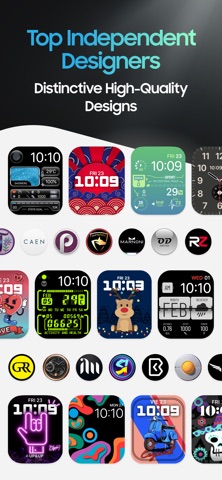
• Watch faces created by real artists and designers
• Personalized watch faces for every style
• Premium watch faces and exclusive collections
• Multi-platform compatibility across Apple Watch, Wear OS, and more
• Easy watch face discovery, customization, and sharing
CREATE YOUR OWN WATCH FACES
Want something truly unique?
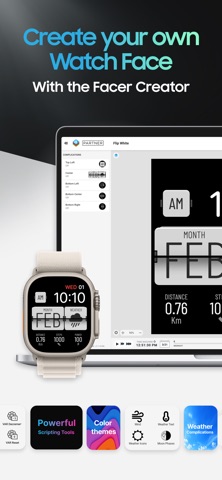
Use Facer Creator at facer.io/creator to design your own watch faces and share them with the world. No coding required.
Join a global community of creators and showcase your designs to millions of smartwatch users.
THE ULTIMATE APPLE WATCH CUSTOMIZATION APP
Facer makes it easy to:
• Customize your Apple Watch
• Personalize your smartwatch
• Discover new watch faces
• Find official branded watch faces
• Explore fitness, sports, artistic, and utility designs
• Create and share your own watch faces
• Express your style directly from your wrist
MULTI-PLATFORM SUPPORT
Facer supports Apple Watch and other leading smartwatch platforms, allowing your favorite watch faces to follow you as you upgrade devices.
QUICK SETUP FOR APPLE WATCH
1. Install the Facer app on your iPhone
2. Ensure Facer watch app is installed on your Apple Watch
3. Browse thousands of free and premium watch faces
4. Tap ‘Send to watch’ on your favorite face
5. Apple Watch app on your iPhone will open and add the face to your list of faces there and then set it on your Apple Watch (*Note: the face may appear blank/black in the Apple Watch iPhone app until you close and reopen that app after the face downloads)
SUPPORT
Questions, suggestions, or need help?
Visit help.facer.io or contact support@facer.io
If you're enjoying Facer, we'd greatly appreciate an App Store review!
CONNECT WITH FACER
Official website: www.facer.io
Community Forum: community.facer.io
Instagram / X / Snapchat / Tiktok / Youtube: @facer_io
Reddit: /r/Facer
LEGAL
Terms of Service: www.facer.io/terms
Privacy Policy: www.facer.io/privacy
--
Watch Faces by Facer van Little Labs, Inc. is een iPhone app met iOS versie 16.0 of hoger, geschikt bevonden voor gebruikers met leeftijden vanaf 4 jaar.
Informatie voor Watch Faces by Faceris het laatst vergeleken op 10 Oct om 20:52.

Informatie
- Releasedatum:3 Mar 2016
- Bijgewerkt:7 Oct 2026
- Versie:6.2.75
- Compatibiliteit:Vereist iOS 16.0 of nieuwer. Compatibel met iPhone, iPad en iPod touch.
- Grootte:259 MB
- Leeftijd:4+ jaar
- Beoordeling:4.5 van 5
- Categorie:
Nieuw in versie 6.2.75
Various bug fixes and improvements
22 geschreven reviewsRecensies
Doesn't work us expected
MeerI'm very disappointed when I want to choose a face. Everything is linked with the app. For example, if you have a battery showing on the watch, and you click, it says that you need to set it on the telephone, and when you do it, you lose the lovely picture. So, in the end, the whole setup that you like doesn't work.
2door Rin******07/04/2025Looks nice but that’s all
MeerMany of the faces work by putting an image on your watch that displays data/a complication. The image gets updated by the app on your watch in combination with the app on your phone.
When you tap the image/data displayed you will NOT go to any details, but it will try to sync with the app on the phone to update the watch face and refresh complications. It displays the logo of the app on your watch with text “to browse and sync faces , open Facer on your iPhone”.
So without Facer running the complications will not update, and you’ll see old data (battery, steps, etc). And you’ll not be able to zoom in on details of any complication.
It might be my mistake that I did not read reviews or missed some of the explanation, but the way it works it is not worth the subscription - as the watch faces only look good, but do not work as I would expect.
Beside that you also get multiple times a day notifications on watch faces to try and advertising for watch bands, and other smart watches.
NOT RECOMMENDED2door Yar****23/03/2025Dont work
MeerI have paid monthly and paid for the whole year several times but still have no access
2door Dom*******03/03/2025
Reageer op deze app
Dit vind je misschien ook leuk

Laatste reacties
- Soundmaster zei over UNDOK: "UNDOK werkt niet meer na installatie iOS27! Alle richtlijnen..."
- Ryan zei over James-Horeca: "Zeer teleurstellende ervaring Helaas heb ik een erg negatieve..."
- Ro Rare zei over myOpel: "LoL dat een company als Opel zo'n slecht functionerende..."
- Jo zei over Word Domination: "Leuke ap enkel wel heel jammer als je een nieuwe booster wilt..."
- Marc Van Hoey zei over Belfius Mobile: "beste, iPadgebruik, na laatste update, app. belfius mobile,..."
- Sanne zei over GoWish: "Ik heb deze eerst gebruikt, maar toch wel erg Amerikaans.. Ik..."
- Frederik Visser zei over Talkie: Tekst naar Spraak: "Ik ben op zoek naar ervaringen van gebruikers van de pro..."
- Frederik Visser zei over Talkie: Tekst naar Spraak: "Ik ben op zoek naar ervaringen van gebruikers van de pro..."
- Mario van Gool zei over Vue NL: "1 groot drama. Account van mijn zoon niet meer in te loggen...."