
LET OP: Downloads verlopen via de App Store, controleer daar altijd de meest actuele prijs, compatibiliteit en andere informatie. Je hebt een actief Apple account nodig om apps te installeren.
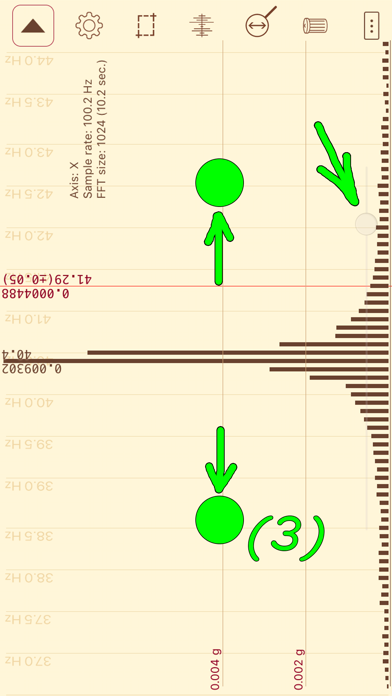
The application analyzes the data from the phone's accelerometer and builds a vibration spectrum. This allows the evaluation of not only the strength and frequency of the vibration, but also the speed of rotation of various mechanisms: fans, motors, various rotating components; since the vibration frequency often (but not always) coincides with the frequency of rotation. The application will be useful in determining the quality of fans and motors, in determining whether their actual parameters coincide with the ones declared by the manufacturer, it will find its uses in monitoring of malfunctions (e.g. in bearings) or while testing the quality of assembly and balancing of the homemade mechanisms with rotating parts.
Do not expose your iPhone to an excessive vibration, as it may break. If the analyzed vibration is too strong, use a foam material pad, or put your iPhone at a distance where the force of the vibration is not dangerous to your device. In addition to decreasing vibration for the iPhone, a foam pad improves contact between the iPhone and the vibrating part, which makes the transmission of vibration more accurate and produces better results.
BE SURE TO READ THE EXAMPLES OF THE VIBRATION SPECTRUM ANALYSIS AT THE APPLICATION WEB SITE (usefulmobileapps.com).
Features of the full version of the application:
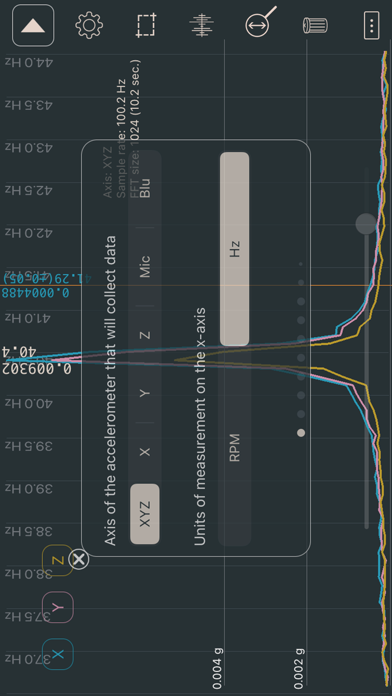
• The choice of units of measurement. X-axis: Hz or RPM. Y-axis: g, m/s², ft/s², mm/s, in/s (ips), mm, mil, dB(A), dB(V).
• FFT size (for built-in accelerometer): 64, 128, 256, 512, 1024, 2048, 4096 (data collection time from 0.64 sec. to 40 sec.). For an accelerometer connected to the headphone jack FFT size from 2048 to 131072. For Bluetooth-accelerometer FFT size from 512 to 32768.
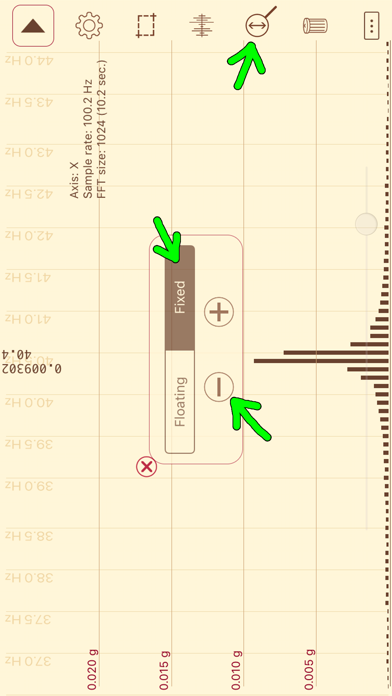
• Linear and logarithmic frequency scale.
• Linear frequency scale with maximum details (there is a choice for the displayed frequency range).
• Peak frequency detection.
• Values of any point (for frequency scale and sound wave (at maximum detail)).
• Selecting which axis of the accelerometer is to collect data.
• Octave bands (1/1,1/3,1/6,1/12).
• Window functions (Blackman, Hamming, Hann (Hanning), Blackman–Nuttall, Gaussian, Flat top).
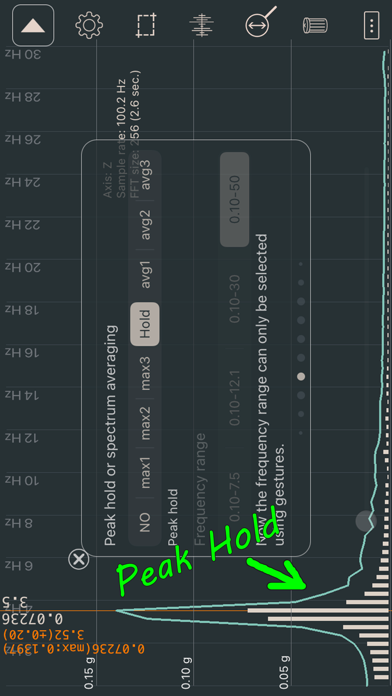
• Peak hold.
• Exponential spectrum averaging.
• Taking a screenshot by lightly touching the screen.
• Root mean square (RMS, for vibration) or average value (AVG, for absolute values) for vibration wave. Values are calculated only for data displayed on the screen.
• Calibration of the built-in accelerometer. Need EXCLUSIVELY for measuring absolute acceleration values (gravitational acceleration). To activate the settings, turn on the "Vibration wave" mode and turn off the "Only fluctuations" mode. The parameters of the accelerometer depend on the temperature and voltage of the battery, and may change over time. To obtain stable values, the accelerometer should work for several minutes.
• Saving the measurement results in the application. Files with saved data (SavedData_[date]_[time].txt) can be copied to a desktop/laptop computer or transferred to another iPhone using iTunes.
• Export data to a text ("Y=[y1 y2... yn]", "y1;y2;... yn", "x1;y1\nx2;y2;...") or WAV file. Number of points is adjusted via "FFT size". To export octaves, use "x1;y1\nx2;y2;...".
• Accelerometer connects to the headphone jack (measurement range from 5 Hz to 24000 Hz).
• A stroboscope for an external accelerometer (the feature was proposed by Todd French from Los Angeles, California).
• Bluetooth accelerometer.
When converting acceleration into speed or displacement, at 0-5 Hz frequencies noise starts prevailing over vibration peaks, which is why such frequencies are disregarded when doing the conversion. Should vibration frequency exceed 50 Hz, the peak will be recorded at an incorrect frequency, and hence speed or displacement will not be calculated correctly. Unrealistically high speed or large displacement may be a sign of this kind of false frequency.
--
Vibration analysis van Dmitriy Kharutskiy is een iPhone app met iOS versie 15.6 of hoger, geschikt bevonden voor gebruikers met leeftijden vanaf 4 jaar.
Informatie voor Vibration analysisis het laatst vergeleken op 9 Oct om 22:06.



Informatie
- Releasedatum:27 Feb 2014
- Bijgewerkt:31 Aug 2026
- Versie:4.3.15
- Compatibiliteit:Vereist iOS 15.6 of nieuwer. Compatibel met iPhone, iPad en iPod touch.
- Grootte:5.16 MB
- Leeftijd:4+ jaar
- Beoordeling:2.5 van 5
- Categorie:
Nieuw in versie 4.3.15
The app has been updated only to answer new age rating questions.
Meer van Dmitriy Kharutskiy

Reageer op deze app
Dit vind je misschien ook leuk
Laatste reacties
- Soundmaster zei over UNDOK: "UNDOK werkt niet meer na installatie iOS27! Alle richtlijnen..."
- Ryan zei over James-Horeca: "Zeer teleurstellende ervaring Helaas heb ik een erg negatieve..."
- Ro Rare zei over myOpel: "LoL dat een company als Opel zo'n slecht functionerende..."
- Jo zei over Word Domination: "Leuke ap enkel wel heel jammer als je een nieuwe booster wilt..."
- Marc Van Hoey zei over Belfius Mobile: "beste, iPadgebruik, na laatste update, app. belfius mobile,..."
- Sanne zei over GoWish: "Ik heb deze eerst gebruikt, maar toch wel erg Amerikaans.. Ik..."
- Frederik Visser zei over Talkie: Tekst naar Spraak: "Ik ben op zoek naar ervaringen van gebruikers van de pro..."
- Frederik Visser zei over Talkie: Tekst naar Spraak: "Ik ben op zoek naar ervaringen van gebruikers van de pro..."
- Mario van Gool zei over Vue NL: "1 groot drama. Account van mijn zoon niet meer in te loggen...."