
LET OP: Aankopen verlopen via de App Store, controleer daar altijd de meest actuele prijs, compatibiliteit en andere informatie. Je hebt een actief Apple account nodig om apps te installeren.
Do you miss the old "Album Shuffle" on your Apple device? Here at Spudfish Software, we did, so we did something about it!
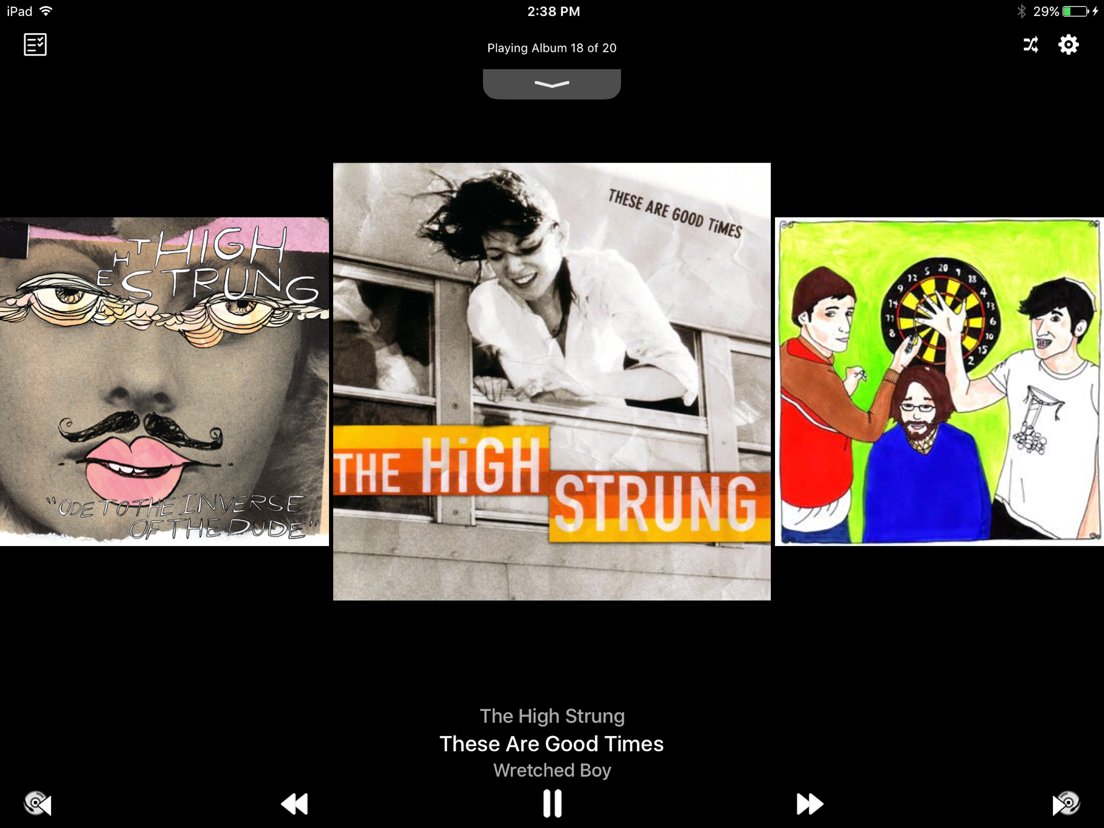
Smart Shuffle: The Album-Centric Music Player
Smart Shuffle brings album shuffle back to you, randomly shuffling your music and playing it back one album at a time with songs selected in the order that the artist intended. If you love albums, Smart Shuffle is the only music player you need!
Version 4.0 also includes a host of new features to help you further take charge of your album collection!
CARPLAY COMPATIBLE!!!
- Tell Smart Shuffle to re-shuffle, play next album, play previous album, or view the next albums in your queue from our new CarPlay interface!
SIRI SHORTCUTS
- train Siri to tell Smart Shuffle to Shuffle Albums, Play Next Album or Play Previous Album
PLAY ALBUMS FROM THE CLOUD
- Smart Shuffle can now access your albums in the cloud, seamlessly adding them to your selection list. Have a bad data plan or spotty internet connectivity? Just turn off this feature from the Settings app for Smart Shuffle.
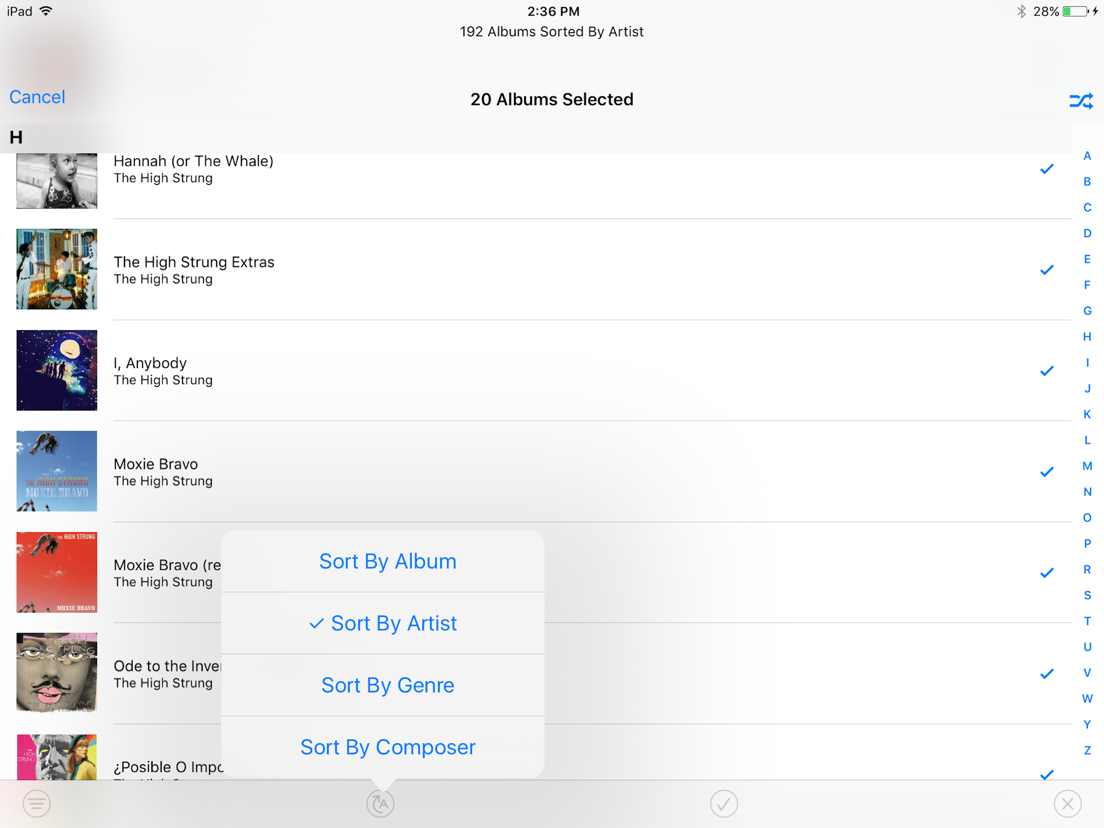
ENHANCED ALBUM SELECTION
- Sort your albums by Title, Artist, Genre, Composer, or Release Date
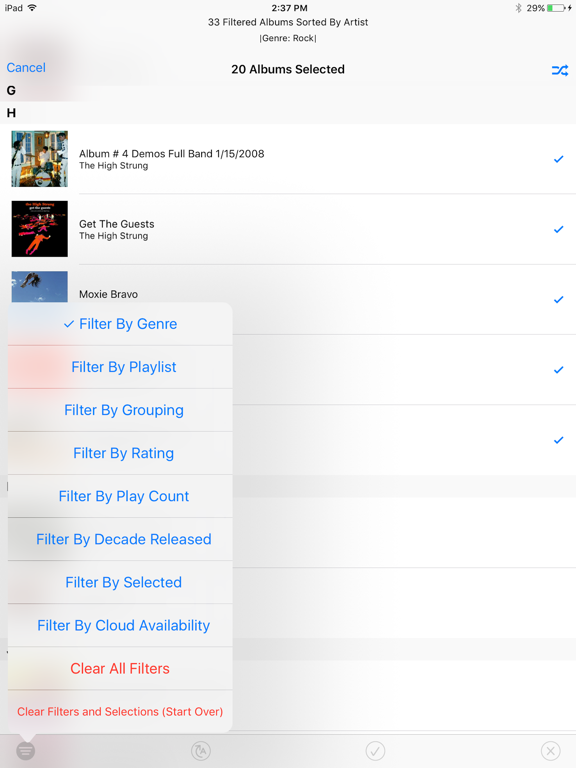
- Filter the selection list to refine your selections. You can create an album playlist to match your mood by filtering on any combination of:
- Artist
- Genre
- Grouping
- Composer
- Rating
- Play Count
- Date Added
- Decade Released
- Minimum Song Count
- Inclusion in one of your Playlists
- Cloud Availability
- Filter by Selected to see only the albums you have currently selected for shuffling, or those that you haven't selected yet.
- Start Album: Select the first album to play, then pick random albums thereafter.
- Split Multi-Disc Albums: treat each volume of a multi-disc set individually
APPLE WATCH INTERFACE
- Control the playback of your album selections on your Apple Watch. Play or pause the current album, skip to the next album, or re-play the previous album.
SLEEP MODE
- Touch and hold the play/pause button for a second to request Sleep Mode
- Smart Shuffle will automatically pause after 30 minutes, an hour, or after the current album. You'll get lulled to sleep listening to your favorite albums without missing a bunch of them while asleep!
ANNOUNCEMENT AND DELAY
- Smart Shuffle now comes with settings to announce each new album before it is played, and to delay for up to 30 seconds between albums to let you cleanse your musical palate.
RESPONSIVE TO TOUCH EVENTS
- Double tap the screen to play/pause music
- Swipe left/right on the album art to skip to the next/previous album
- Swipe left/right on the now playing information to skip to the next/previous song
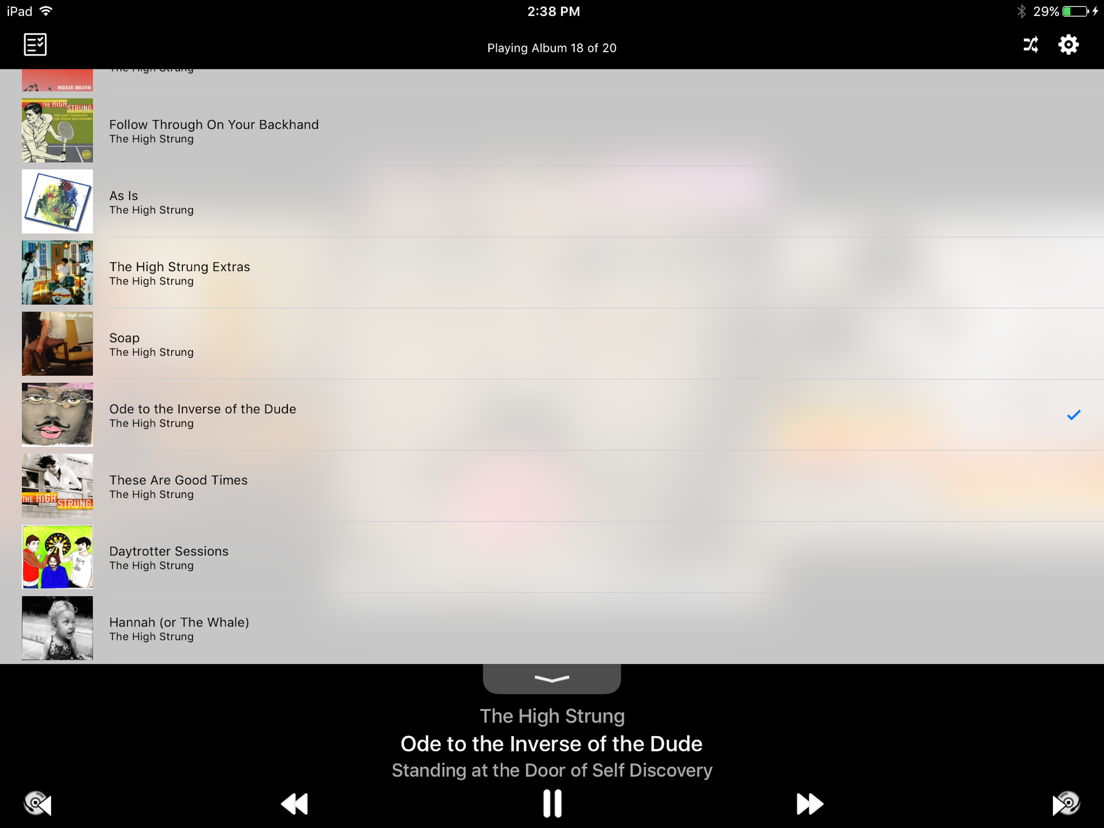
- Swipe down in the pull-tab to show your entire shuffled album queue. Swipe up to view the currently playing album art.
- Touch the progress bar to change songs
- Touch the time remaining to show the time of day that the currently playing album will end. Touch again to return to time remaining.
- Touch and hold the progress bar to get a list of songs to choose from
- From the Selection Screen, touch and hold an album to play it first in your shuffled list
REMOTE CONTROL EVENTS
- In addition to the usual remote control events (play/pause, next song, previous song), Smart Shuffle can now skip to the next/previous album using the "skimming" remote control events. Double-click and hold the remote control on headphones, or touch and hold the forward arrow on the remote control panel on your lock screen.
If you quit the application, your music keeps playing. Open the Music app, and your Smart Shuffle mix is retained. Pop right back into Smart Shuffle to skip albums or select new albums to mix.
Happy Shuffling!
See our website for additional information, FAQ's and contact us to report bugs or request new features.
http://spudfish.com/smartshuffle
--
Smart Shuffle van Spudfish Software is een app voor iPhone, iPad en iPod touch met iOS versie 17.6 of hoger, geschikt bevonden voor gebruikers met leeftijden vanaf 4 jaar.
Informatie voor Smart Shuffleis het laatst vergeleken op 26 Oct om 16:22.
Informatie
- Releasedatum:5 Dec 2009
- Bijgewerkt:20 Oct 2026
- Versie:4.7
- Compatibiliteit:Vereist iOS 17.6 of nieuwer. Compatibel met iPhone, iPad en iPod touch.
- Grootte:16.8 MB
- Leeftijd:4+ jaar
- Beoordeling:4.5 van 5
- Categorie:
Nieuw in versie 4.7
Fixed a bug that allowed Smart Shuffle to drain your battery more than it should. Bad code! Bad! Sit! Go to sleep! Gooood. Also, maybe it'll behave for the iPhone Duo. I mean, I don't have $2000 to test on a phone, so let me know!
Prijsgeschiedenis
Recensie
Reliable shuffle
MeerThis version 2 is stable and reliable. The improved restart of the queue is really good now.
The only thing I miss is a volume slider. It would be nice to have one.
So For now I give 3 stars. Keep improving.3door Tha*****25/01/2011
Reageer op deze app
Dit vind je misschien ook leuk

Laatste reacties
- Jolanda Smit zei over pym. Je fotoboek, al klaar: "Sinds 2013 al een gebruiker en sindsdien (zo goed als) elke..."
- Ludo zei over HERE WeGo Kaarten & Navigatie: "Op de iPhone is HereWeGo een goede navigatie app, echter met..."
- Soundmaster zei over UNDOK: "UNDOK werkt niet meer na installatie iOS27! Alle richtlijnen..."
- Ryan zei over James-Horeca: "Zeer teleurstellende ervaring Helaas heb ik een erg negatieve..."
- Ro Rare zei over myOpel: "LoL dat een company als Opel zo'n slecht functionerende..."
- Jo zei over Word Domination: "Leuke ap enkel wel heel jammer als je een nieuwe booster wilt..."
- Marc Van Hoey zei over Belfius Mobile: "beste, iPadgebruik, na laatste update, app. belfius mobile,..."
- Sanne zei over GoWish: "Ik heb deze eerst gebruikt, maar toch wel erg Amerikaans.. Ik..."
- Frederik Visser zei over Talkie: Tekst naar Spraak: "Ik ben op zoek naar ervaringen van gebruikers van de pro..."