
LET OP: Aankopen verlopen via de App Store, controleer daar altijd de meest actuele prijs, compatibiliteit en andere informatie. Je hebt een actief Apple account nodig om apps te installeren.
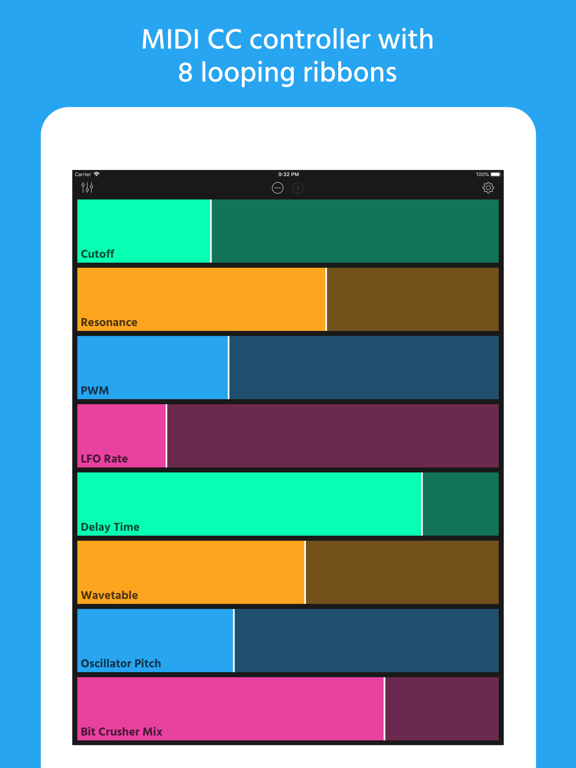
Ribn is a MIDI controller with 8 assignable ribbons. What makes Ribn unique is its ability to record and loop your finger movement. This allows you to add organic repeating modulation to your synths and effects, kind of like complex LFOs. You can assign a unique MIDI channel and CC# to each ribbon. As long as your gear responds to MIDI CC messages you will be able to control it with Ribn.
** FEATURES **
• 8 MIDI CC ribbon pads
• Add modulation to your MIDI hardware synths, effects, eurorack modulars, drum machines, etc.
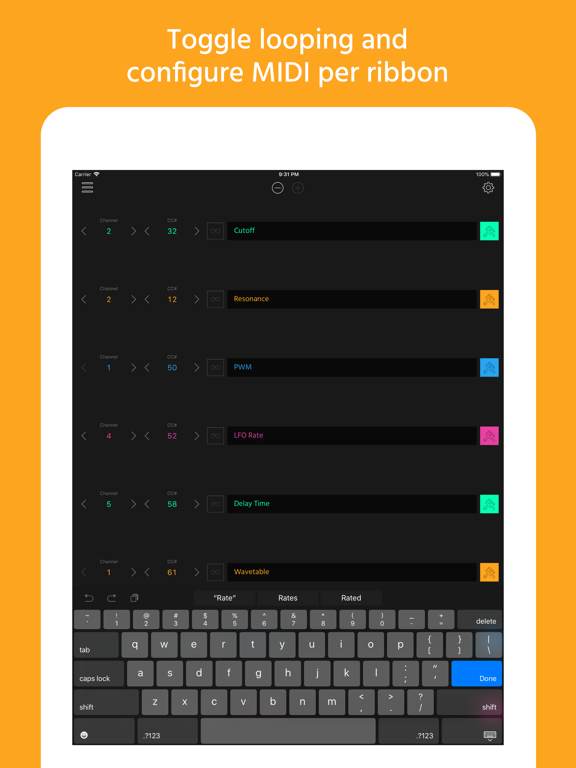
• Configurable MIDI channel and CC# per ribbon
• You can name each ribbon to help you identify what parameter it's controlling
• Turn off looping on individual ribbons to turn them into regular sliders
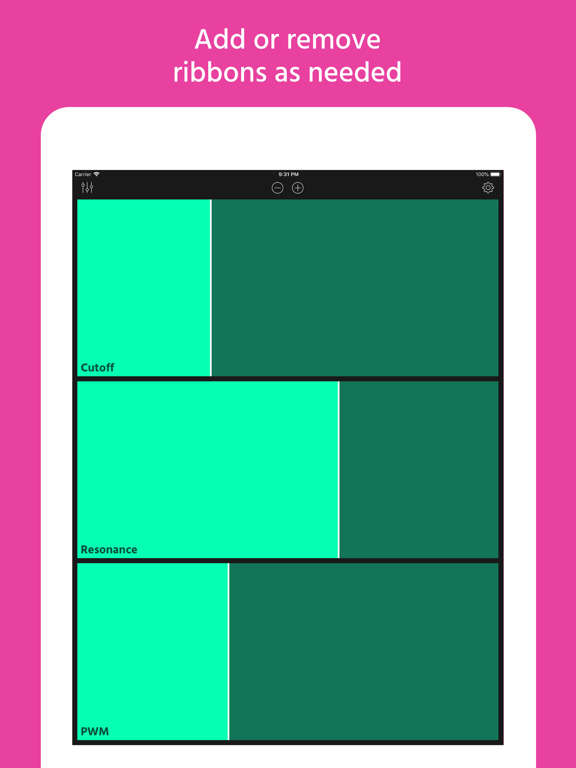
• Choose any number of ribbons between 1 and 8
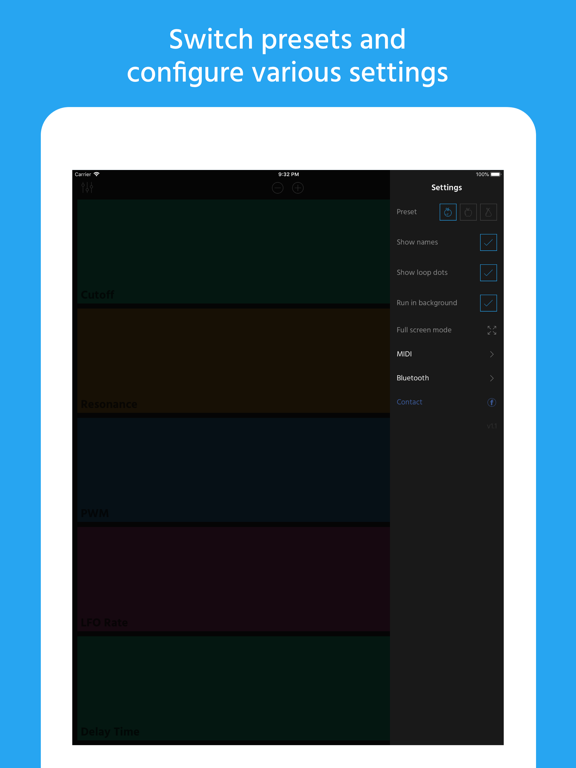
• Full screen mode (removes navigation bar to help you focus)
• Switch between 3 sets of configurations using presets
• MIDI sending works while the app is in the background
• iPad landscape mode
• Select multiple MIDI outputs
• Ribbons record and loop your finger movement
• Use a wired MIDI interface, Bluetooth or Wi-Fi
• All settings are saved automatically
• Works with external hardware as well as other iOS synths
• Works on iPhone (including iPhone X) and iPad starting with iOS 10
** EXAMPLE USES **
• Control hardware MIDI synths parameters like the filter cutoff frequency, resonance, oscillator octave, etc.
• Control any soft synth in Ableton Live (or your favorite DAW) by connecting your iOS device to your Mac via Wi-Fi and choosing "Session 1" as the MIDI output in Ribn.
• Control your Eurorack modules by running Ribn through a MIDI to CV converter.
• Control other iOS synths like the Moog Model 15 or Arturia iSEM.
• Control drum machines and effects. For example, try controlling the room size of a reverb effect unit with a looping ribbon or the snappiness of a snare drum on a drum machine. The possibilities are endless.
• Daisy chain your MIDI hardware using MIDI Thru ports and assign each ribbon to a different MIDI channel. This way you can control more than one piece of hardware at a time. For example, you can assign the first 4 ribbons to a synth and the last 4 to an effect unit.
** HOW IT WORKS **
• Connect your MIDI gear (like a synth) to your iOS device using a MIDI interface (wired or bluetooth)
• Launch Ribn and select your MIDI interface in the settings page.
• Find out which CC# and MIDI channel your gear responds to (usually at the end of the manual) and enter this information in RIbn's edit view.
• Slide your finger on a ribbon to send CC values and control the parameters on your MIDI gear.
** WHAT IS MIDI AND CC? **
• MIDI is just the way electronic musical instruments talk to each other.
• CC (Continuous Controller) is just a way to control various parameters using MIDI. For example, a synth's filter cutoff frequency can be controlled using a MIDI CC signal.
** NOTE **
• Ribn is a MIDI controller and doesn't produce any sounds. To use Ribn you must connect it to a device that responds to MIDI CC signals (check your gear's manual to be sure).
• Ribn doesn't send note data, it only sends CC signals (you can't play melodies with it, but you can control various parameters like synthesizer filters, or effects settings).
• To connect your iOS device to MIDI gear you will need to buy a MIDI interface. A MIDI interface typically connects to your iOS lightning port and provides standard MIDI DIN ports to connect to your hardware. There are also bluetooth MIDI interfaces that connect wirelessly. Alternatively, you can connect to your Mac over Wi-Fi and control software synths that way. This setup is a little more complex but totally doable (I've tested controlling Ableton Live plugins over Wi-Fi with Ribn and it worked perfectly).
• Audiobus and AUv3 are not supported at this time. However, you can still control other iOS synths by routing the internal MIDI ports and having Ribn run in the background.
--
Ribn van Nebojsa Petrovic is een app voor iPhone, iPad en iPod touch met iOS versie 10.0 of hoger, geschikt bevonden voor gebruikers met leeftijden vanaf 4 jaar.
Informatie voor Ribnis het laatst vergeleken op 7 Oct om 18:25.

Informatie
- Releasedatum:4 Aug 2018
- Bijgewerkt:
- Versie:
- Compatibiliteit:Vereist iOS 10.0 of nieuwer. Compatibel met iPhone, iPad en iPod touch.
- Grootte:29.1 MB
- Leeftijd:4+ jaar
- Beoordeling:4.8 van 5
- Categorie:
Nieuw in versie
Fixed bug with app sometimes freezing.
Prijsgeschiedenis
Recensie
Clock sync
MeerIt would be great when we can sync the loops witch the beat so manupalating sounds wil not be at rendom and distort the beat. For ambient is this oké. Overall a great app
4door Jwa***07/04/2019
Meer van Nebojsa Petrovic

Reageer op deze app
Dit vind je misschien ook leuk
Laatste reacties
- Ryan zei over James-Horeca: "Zeer teleurstellende ervaring Helaas heb ik een erg negatieve..."
- Ro Rare zei over myOpel: "LoL dat een company als Opel zo'n slecht functionerende..."
- Jo zei over Word Domination: "Leuke ap enkel wel heel jammer als je een nieuwe booster wilt..."
- Marc Van Hoey zei over Belfius Mobile: "beste, iPadgebruik, na laatste update, app. belfius mobile,..."
- Sanne zei over GoWish: "Ik heb deze eerst gebruikt, maar toch wel erg Amerikaans.. Ik..."
- Frederik Visser zei over Talkie: Tekst naar Spraak: "Ik ben op zoek naar ervaringen van gebruikers van de pro..."
- Frederik Visser zei over Talkie: Tekst naar Spraak: "Ik ben op zoek naar ervaringen van gebruikers van de pro..."
- Mario van Gool zei over Vue NL: "1 groot drama. Account van mijn zoon niet meer in te loggen...."
- Thijs zei over Burgernet: "Bij het openen van de app komt het bericht ""Er is iets..."