
LET OP: Aankopen verlopen via de App Store, controleer daar altijd de meest actuele prijs, compatibiliteit en andere informatie. Je hebt een actief Apple account nodig om apps te installeren.
Turn your iPhone or iPad into a practical field toolkit for camera measurement, maps, waypoints, compass work, and astronomical planning.
RangeFinder brings the instruments you need into one focused app. Estimate a distance, inspect an angle, save a waypoint, measure a shape on the map, or plan around sunlight without breaking your workflow.
CAMERA INSTRUMENTS
• Estimate distance or height from an object of known size.
• Measure distance with LiDAR on compatible devices.
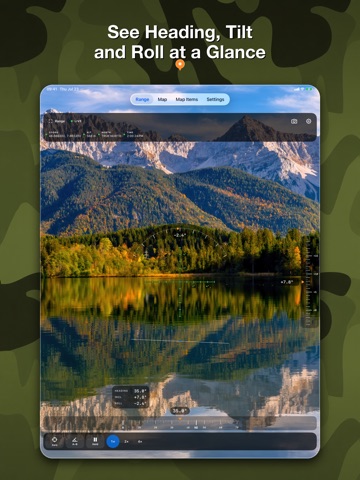
• Read heading, inclination, and roll, then capture an A–B angle.
• Use Angle Survey with crisp, calibrated vector reticles.
• Save camera, reticle, measurement, or full-screen compositions.
MAPS THAT GO WITH YOU
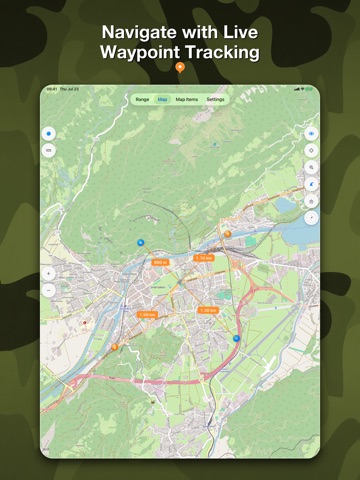
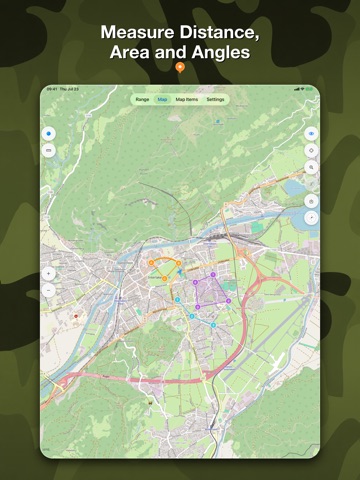
• Work with raster maps and detailed OSM vector maps up to zoom level 19.
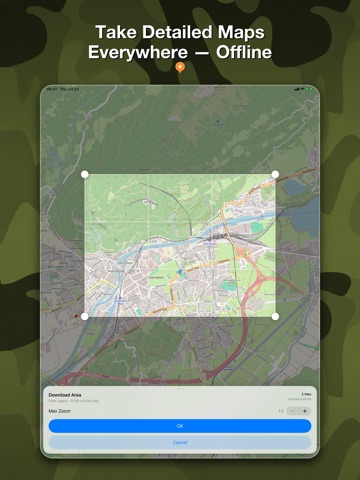
• Download supported map areas for use away from a connection.
• Start with 512 MB of offline-map storage; save your first offline map to receive another 512 MB.
• Search and inspect coordinates in Decimal Degrees, DMS, UTM, MGRS, Plus Codes, and GeoHash.
WAYPOINTS WITH CONTEXT
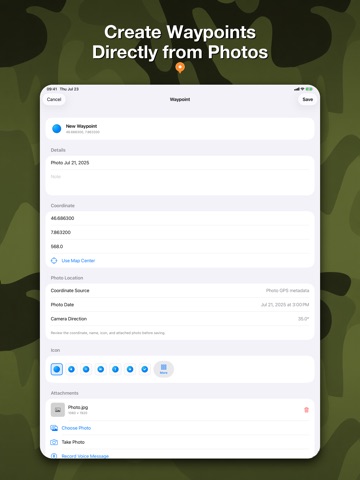
• Create waypoints on the map or from a photo’s GPS metadata.
• Choose from 175 icons so every place is easy to recognize.
• Add notes, photos, and voice messages.
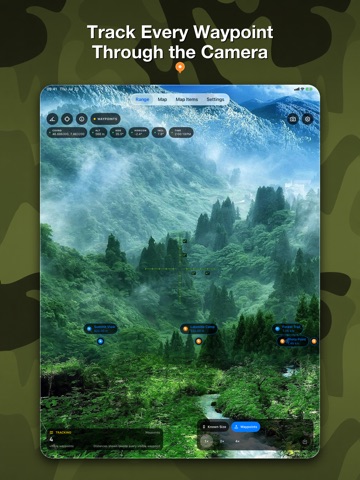
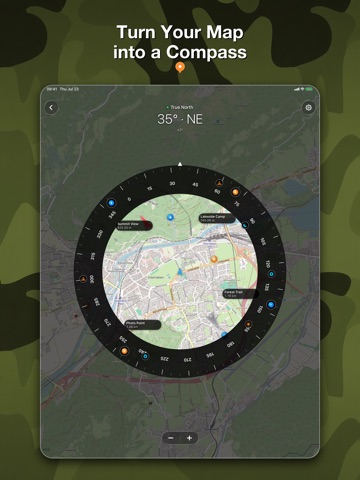
• Track selected waypoints on the map, compass, and live camera with their name and distance.
MEASURE AND PLAN
• Draw distances, polylines, angles, rectangles, polygons, areas, and circles directly on the map.
• Use magnetic or true north, waypoint bearings, map rotation, and compass calibration.
• Plan with sunrise, sunset, civil, nautical, and astronomical twilight, golden and blue hours, Moon phase, and planet positions—calculated on device.
SAVE YOUR FIELDWORK
Keep range observations, captures, waypoints, attachments, and map measurements organized for later. A safe migration assistant can bring compatible waypoints, media, and settings forward from the previous app.
Camera frames and photo-location analysis are processed on your device. Availability and quality depend on device sensors, permissions, lighting, surface conditions, and location accuracy. Measurements are estimates and are not intended for safety-critical surveying or navigation.
--
Range Finder Tool van Natalia Gavrylova is een app voor iPhone, iPad en iPod touch met iOS versie 26.0 of hoger, geschikt bevonden voor gebruikers met leeftijden vanaf 4 jaar.
Informatie voor Range Finder Toolis het laatst vergeleken op 11 Oct om 19:35.



Informatie
- Releasedatum:16 May 2014
- Bijgewerkt:4 Aug 2026
- Versie:3.0
- Compatibiliteit:Vereist iOS 26.0 of nieuwer. Compatibel met iPhone, iPad en iPod touch.
- Grootte:25.6 MB
- Leeftijd:4+ jaar
- Beoordeling:1 van 5
- Categorie:
Nieuw in versie 3.0
RangeFinder 3.0 is a major new release, rebuilt as a modern field toolkit.
• Meet the new Range, Angle, and Angle Survey instruments with shared camera, reticle, capture, and sensor settings.
• Use a calibrated vector-reticle library with Fine Cross as the default. Save your first instrument photo to unlock six bonus reticles.
• Explore raster and OSM vector maps, download supported offline areas, manage storage, and zoom vector maps up to level 19.
• Create waypoints from a photo’s GPS metadata, attach photos and voice messages, and track selected waypoints on the map, compass, and live camera.
• Measure distances, angles, shapes, and areas on the map, with improved coordinate search and inspection.
• Plan outdoors with compass tools and on-device Sun, Moon, planet, twilight, golden-hour, and blue-hour calculations.
• Bring compatible waypoints, media, and settings forward safely from the previous app.
This update also includes extensive performance, accessibility, localization, camera-capture, and offline-map improvements.
Prijsgeschiedenis
Reageer op deze app
Dit vind je misschien ook leuk

Laatste reacties
- Soundmaster zei over UNDOK: "UNDOK werkt niet meer na installatie iOS27! Alle richtlijnen..."
- Ryan zei over James-Horeca: "Zeer teleurstellende ervaring Helaas heb ik een erg negatieve..."
- Ro Rare zei over myOpel: "LoL dat een company als Opel zo'n slecht functionerende..."
- Jo zei over Word Domination: "Leuke ap enkel wel heel jammer als je een nieuwe booster wilt..."
- Marc Van Hoey zei over Belfius Mobile: "beste, iPadgebruik, na laatste update, app. belfius mobile,..."
- Sanne zei over GoWish: "Ik heb deze eerst gebruikt, maar toch wel erg Amerikaans.. Ik..."
- Frederik Visser zei over Talkie: Tekst naar Spraak: "Ik ben op zoek naar ervaringen van gebruikers van de pro..."
- Frederik Visser zei over Talkie: Tekst naar Spraak: "Ik ben op zoek naar ervaringen van gebruikers van de pro..."
- Mario van Gool zei over Vue NL: "1 groot drama. Account van mijn zoon niet meer in te loggen...."