Notability: aantekeningen, PDF
Ginger Labs
LET OP: Downloads verlopen via de App Store, controleer daar altijd de meest actuele prijs, compatibiliteit en andere informatie. Je hebt een actief Apple account nodig om apps te installeren.
Van je eerste college tot je volgende belangrijke vergadering, Notability helpt je beter te denken, te leren en te werken. Maak handgeschreven notities, annoteer documenten, neem audio op en blijf georganiseerd op één plek, zodat je ideeën altijd duidelijk, doorzoekbaar en direct beschikbaar zijn wanneer je ze nodig hebt.
NIEUW: NOTABILITY CLASSIC IS TERUG
Liever één keer betalen voor Notability? Ons Classic-plan is een eenmalige aankoop, geen abonnement nodig.
GRATIS DIGITALE NOTITIES VOOR WERK EN SCHOOL
• Schrijf, typ of schets met digitale inkt, markeerstiften en teksttools.
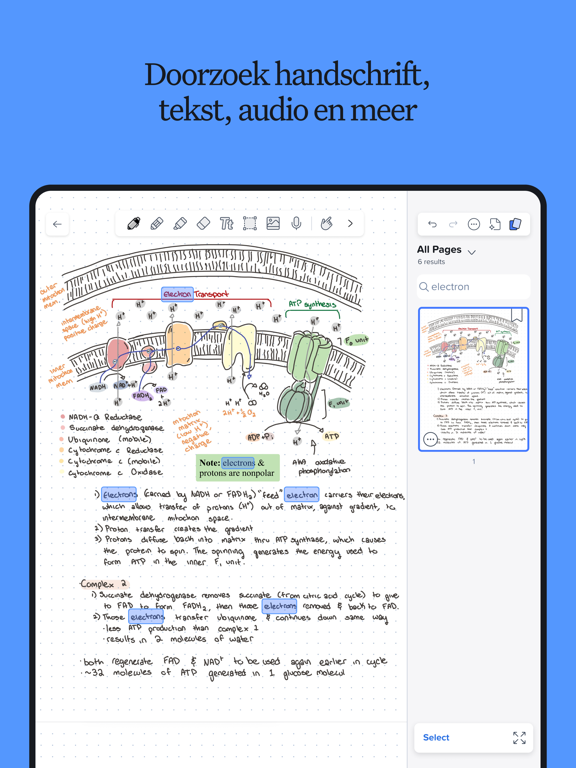
• Annoteer alles: pdf's, studieboeken, collegepresentaties, afbeeldingen en meer.
• Combineer handschrift, getypte tekst, afbeeldingen, diagrammen en schetsen op dezelfde pagina.
• Blijf georganiseerd met aanpasbare mappen en onderwerpen die met je meegroeien.
VOOR PROFESSIONALS: SLIMMER WERKEN EN TIJD BESPAREN
• Annoteer documenten, leg vergaderingen vast, organiseer ideeën en presenteer met vertrouwen.
• Importeer en schrijf met de hand op elk document: pdf's, Word-documenten, presentaties, rapporten en meer.
• Vul formulieren in op kantoor of op locatie.
• Combineer handschrift, tekst, foto's en documenten op één plek.
• Neem gesprekken en vergaderingen op om spraak in realtime te transcriberen. Audio wordt gesynchroniseerd met je notities, zodat je niets mist.
• Ontvang automatische vergaderingsnotities, actiepunten en samenvattingen.
• Zoek in handschrift, transcripties, tekst en pdf's om snel beslissingen en actiepunten terug te vinden.
• Presenteer notities, documenten en ideeën op volledig scherm, met een laserpointer om de aandacht te richten.
• Bekijk en bewerk twee notities naast elkaar om gefocust en productief te blijven.
• Deel een pdf van je notitie met één tik.
VOOR STUDENTEN: SLIMMER STUDEREN EN EXAMENS MET GLANS BEHALEN
• Maak digitaal handgeschreven notities of annoteer collegepresentaties of je studieboeken.
• Neem colleges op en ontvang direct audiotranscripties en realtime samenvattingen in je notities.
• Audio-opnames worden gesynchroniseerd met het exacte moment waarop je in een notitie schrijft – perfect voor colleges.
• Importeer collegepresentaties, pdf's van studieboeken en opdrachten in georganiseerde mappen en onderwerpen.
• Zoek in handschrift, getypte notities en transcripties om direct inhoud van colleges te vinden.
• Bestudeer de inhoud van je notities met gepersonaliseerde quizzen en flashcards om actief te oefenen.
• Chat met je notities om concepten te herhalen, ideeën te verduidelijken en je voor te bereiden op examens.
WERK OP JOUW MANIER
• Schakel naadloos tussen handschrift en typen.
• Importeer bestanden direct en houd alles verbonden. • Deel eenvoudig notities om samen te werken of feedback te ontvangen wanneer dat nodig is.
• Krijg toegang tot je notities op iPad, iPhone, Mac en via het web.
• Maak prachtige notities met behulp van sjablonen uit de Notability-galerij.
UPGRADE NAAR EEN NOTABILITY-ABONNEMENT
Notability is gratis te gebruiken. Met een betaald abonnement krijg je toegang tot:
• Onbeperkt notities maken
• AI-gestuurde productiviteits- en studietools
• Handschriftherkenning en wiskundige conversie
• Live audiotranscripties
• Automatische back-up en iCloud-synchronisatie
Gratis te downloaden voor iPad, iPhone, Mac en web.
Privacybeleid: notability.com/privacy
Gebruiksvoorwaarden: notability.com/terms
--
Notability: aantekeningen, PDF van Ginger Labs is een app voor iPhone, iPad en iPod touch met iOS versie 18.0 of hoger, geschikt bevonden voor gebruikers met leeftijden vanaf 4 jaar.
Informatie voor Notability: aantekeningen, PDFis het laatst vergeleken op 28 Oct om 11:25.



Informatie
- Releasedatum:1 Apr 2010
- Bijgewerkt:26 Oct 2026
- Versie:16.13.3
- Compatibiliteit:Vereist iOS 18.0 of nieuwer. Compatibel met iPhone, iPad en iPod touch.
- Grootte:435 MB
- Leeftijd:4+ jaar
- Beoordeling:4.6 van 5
- Categorie:
Nieuw in versie 16.13.3
• Introducing Graphs: write a function by hand and see it plotted in your note.
• Chat supports images again and keeps your conversation when you return.
• Turn on Narrow Margins in Note Editor settings for smaller text margins in new notes.
• Connected Services in Settings shows your most recent cloud sync.
Thanks for using Notability.
Prijsgeschiedenis
327 geschreven reviewsRecensies
Switching notes
MeerI really like the app on itself I have no remarks on that. I just have a wish for future updates, it would be nice to switch more easily between notes or to maybe even see 2 notes simultaneously. I hope this is achievable.
4door K H*****17/09/2026Rectificatie
MeerIk gebruik al jaren deze app met veel plezier… nu blijkt dat ik lange tijd terug een negatieve beoordeling heb geschreven vanwege vermeende bijkomende kosten. Aangezien de klassieke versie nog steeds voldoet voor mijn behoeften, wil ik alsnog rectificeren: al mijn belangrijke documenten en informatie zijn veilig opgeborgen, eenvoudig oproepbaar en waar nodig te delen. Kortom, uiterst stabiel, bruikbaar en betrouwbaar!
5door J W****14/09/2026Slechte update
MeerIk gebruik deze app al heel lang voor onder andere mijn studie, het fijnste vind ik het kunnen indrukken van mijn pencil voor automatisch gummen. Door de update werkt dit niet meer in de instellingen is dit ook niet aan te passen, nu moet ik continu klikken en handmatig wisselen, juist omdat dit eerst niet zo was heb ik de app gehaald. Erg jammer, ik hoop dat dit weer terug komt of dat er een instelling voor komt
3door Fgi****06/08/2026
Meer van Ginger Labs

Reageer op deze app
Dit vind je misschien ook leuk
Laatste reacties
- Jolanda Smit zei over pym. Je fotoboek, al klaar: "Sinds 2013 al een gebruiker en sindsdien (zo goed als) elke..."
- Ludo zei over HERE WeGo Kaarten & Navigatie: "Op de iPhone is HereWeGo een goede navigatie app, echter met..."
- Soundmaster zei over UNDOK: "UNDOK werkt niet meer na installatie iOS27! Alle richtlijnen..."
- Ryan zei over James-Horeca: "Zeer teleurstellende ervaring Helaas heb ik een erg negatieve..."
- Ro Rare zei over myOpel: "LoL dat een company als Opel zo'n slecht functionerende..."
- Jo zei over Word Domination: "Leuke ap enkel wel heel jammer als je een nieuwe booster wilt..."
- Marc Van Hoey zei over Belfius Mobile: "beste, iPadgebruik, na laatste update, app. belfius mobile,..."
- Sanne zei over GoWish: "Ik heb deze eerst gebruikt, maar toch wel erg Amerikaans.. Ik..."
- Frederik Visser zei over Talkie: Tekst naar Spraak: "Ik ben op zoek naar ervaringen van gebruikers van de pro..."
Reacties
Hoe Kun je grote bestanden mailen vanuit de Notability app?
@Oscar Taal Geprobeerd van rechts naar links te vegen op een notitie (zoals bij bv e-mail)?
Hallo
Hoe kan ik documenten verwijderen van de notability app die ik op mijn iPhone heb?
Groeten Oscar Taal