
LET OP: Aankopen verlopen via de App Store, bekijk daar altijd de meest actuele prijs, compatibiliteit en andere informatie. Je hebt een actief Apple account nodig om apps te installeren.
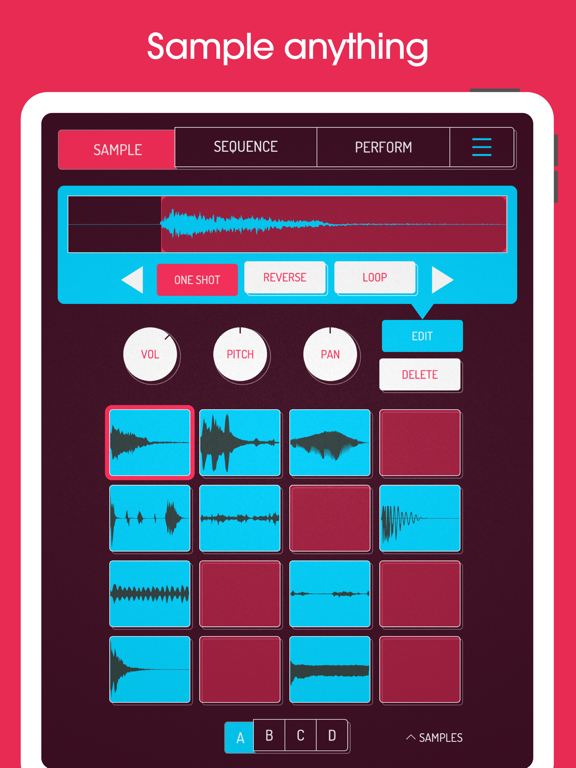
Koala is the ultimate pocket-sized sampler. Record anything with your phone's mic or load your own sounds. Use Koala to create beats with those samples, add effects and create a track!
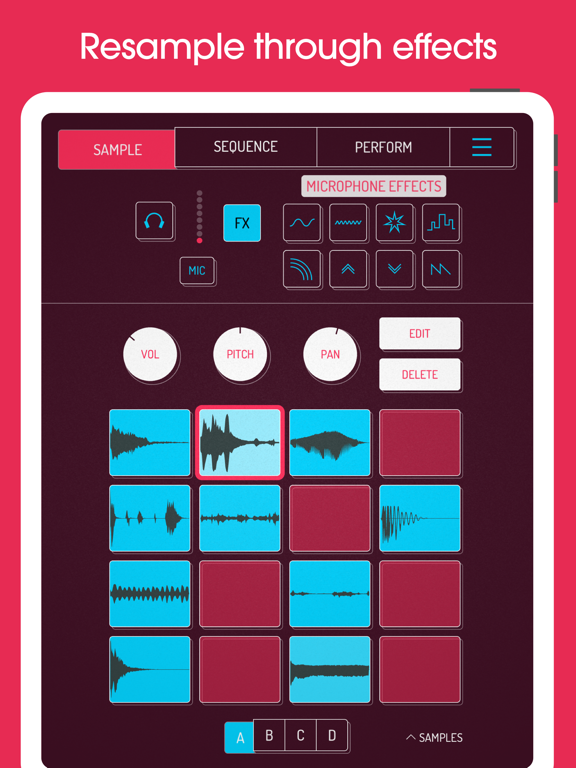
Koala's super intuitive interface helps you make a track in a flash - there is no brake pedal. You can also resample the output of the app back into the input, through the effects, so the sonic possibilities are endless.
Koala's design focuses totally on making the music-making process instant, keeping you in the flow and keeping it fun, not getting bogged down by pages of parameters and micro-editing.
"Been putting that $4 koala sampler to good use lately. Undeniably great tool that puts some of these expensive beat boxes to shame. A must cop."
-- flying lotus, twitter
* Record up to 64 different samples with your mic
* Transform your voice or any other sound with 16 superb built-in fx
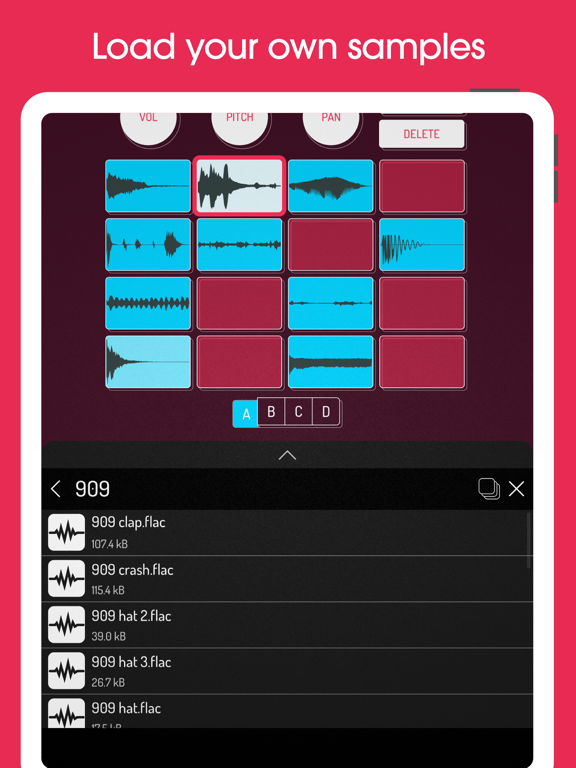
* Load your own samples
* Choose from one of 250 built-in sounds
* Resample the output of the app back into a new sample
* Export loops or entire tracks as professional quality WAV files
* Direct export to Ableton Live Set
* Copy/paste or merge sequences just by dragging them
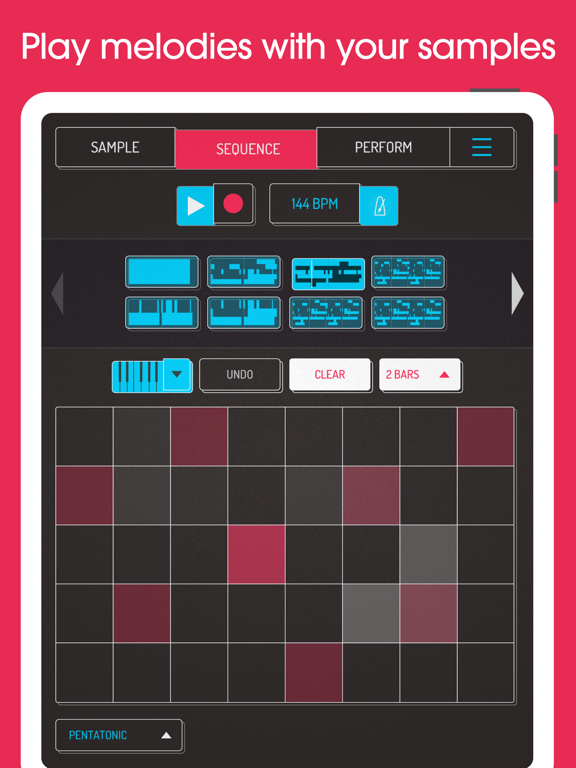
* Create beats with the high-resolution sequencer
* Import samples from the Files app or even from videos
* Keyboard mode lets you play chromatically or one of 9 scales
* Quantize, add swing to get the right feel
* Normal/One-shot/Loop/Reverse playback of samples
* 6 Choke groups
* Attack, release and tone adjustable on each sample
* Mute/Solo controls and note repeat
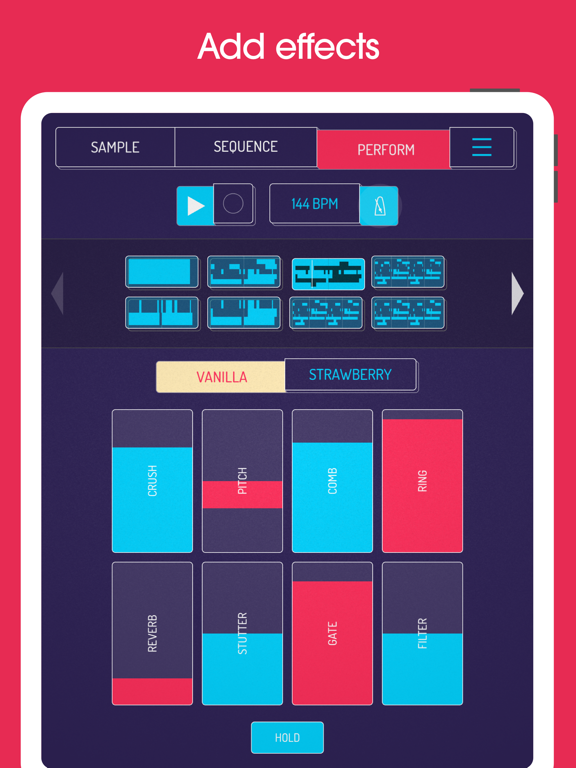
* Add any (or all) of the 16 effects to the entire mix
* AUv3 compatible - use in GarageBand, Logic, Cubasis etc etc
* MIDI controllable - play your samples on a keyboard, map the effects to knobs
* Jam with others over WiFi with Ableton Link
* Free copy of Ableton Live Lite included
* AudioShare compatible
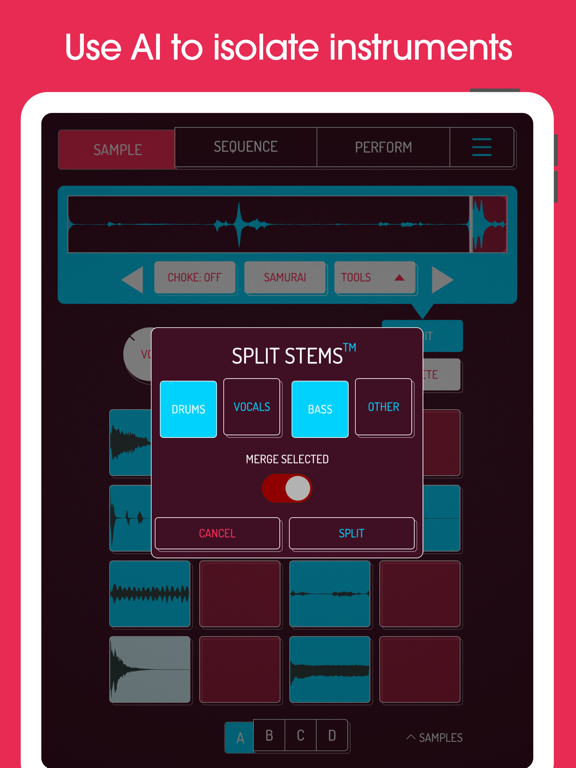
* Use AI to separate samples into individual instruments (drums, bass, vocals and other)
* Set your own background image and choose from a growing list of background visual FX
8 Built-in Microphone FX:
* More Bass
* More Treble
* Fuzz
* Robot
* Reverb
* Octave up
* Octave down
* Synthesizer
16 Built-in DJ Mix FX:
* Bit-crusher
* Pitch-shift
* Comb filter
* Ring modulator
* Reverb
* Stutter
* Gate
* Resonant High/Low Pass Filters
* Cutter
* Reverse
* Dub
* Tempo Delay
* Talkbox
* VibroFlange
* Dirty
* Compressor
Features included in SAMURAI In-App Purchase
* Pro-quality Timestretch (5 modes: Modern, Retro, Beats, Re-pitch and Cyclic)
* Piano roll editor
* Auto-chop (auto, equal, and lazy chop)
* 3 Band EQ
* Pocket operator sync out
* Quokka Synth - powerhouse polyphonic synthesizer
* MIDI Out - control external MIDI hardware with Koala's sequencer
* Chopper - multimodal sample chopping instrument
Features included in MIXER In-App Purchase
* Mix your beats professionally with a 4 channel mixer + main bus
* Route any sample to any channel
* Mute/solo, faders and accurate metering on every channel
* 5 effect slots per channel
* 29 high-quality effects - compressors, filters, phasers and more, with new effects to come
* Host AUv3 plugins - both audio effects and instruments
--
Koala Sampler • Beat Maker van Mazbox Limited is een app voor iPhone, iPad en iPod touch met iOS versie 15.0 of hoger, geschikt bevonden voor gebruikers met leeftijden vanaf 4 jaar.
Informatie voor Koala Sampler • Beat Makeris het laatst vergeleken op 23 Oct om 18:50.

Informatie
- Releasedatum:28 Feb 2019
- Bijgewerkt:16 Oct 2026
- Versie:2.0.15
- Compatibiliteit:Vereist iOS 15.0 of nieuwer. Compatibel met iPhone, iPad en iPod touch.
- Grootte:62.5 MB
- Leeftijd:4+ jaar
- Beoordeling:4.7 van 5
- Categorie:
Nieuw in versie 2.0.15
- Automation for bus effects, mixer channels and plug-in synths and effects
- New "Same pad mapping for all banks" option in MIDI settings - map the 16 pads once and the selected bank decides which pads your notes play. The bank selector can be MIDI mapped too. Switch it off and each of the 64 pads keeps its own mapping, as before
- MIDI map mode can now be toggled from the QWERTY keyboard (default key `;`) or from a mapped MIDI control
- iPhone Duo support
- Looper recording (swipe down on a pad) now starts and stops cleanly on the bar line, including when you stop just after the bar
- Pad to MIDI note mapping is now a fixed 4x4 layout whatever the window shape, so a sequence recorded with the AUv3 open in portrait plays back on the right pads once the window is closed
- Fixed grid keyboard getting stuck after a scale change near the end of the range
- Appending sequences now copies their parameter automation too
Prijsgeschiedenis
14 geschreven reviewsRecensies
Finally a good slice and export tool!
MeerSearched a long time to just edit and chop a Splice sample and quickly export the raw and sliced file. This is the one! Works great and intuitive to do this on a iPad instead of a computer.
5door En **22/11/2025A gift from god!
MeerI genuinely can’t believe how happy I am with this app. I use it on a 2025 iPad Pro with an Arturia minilab 3 midi controller, and I fell in love with making music again. No pc in my chain, just iPad and controller into a dock, dock into my dac, and I’m away without messing about with windows and impacting my current setup. It’s crazy how portable this is, and way cheaper than an akai setup. Only thing I’d like is, the ability to midi bind scrolling samples or navigating folders etc. (If that’s a thing, I haven’t found it yet). Seriously if you’re like me and want to have fun making music via sampling and looping, without a music degree or damaging your brain learning ableton, this is the way. Cheap, crazy simple and intuitive without missing important features, it’s a really non destructive additive workflow too. Seriously guys, well done! Now if you can add the scrolling via controller, I’d send you a kiss
5door Its*******11/08/2025Some good, some really bad
MeerThe time stretching is an unrivalled option for iOS music making, but it is a paid option. Without it, you will not get a great experience (on a phone that is)
This is because the ui seems to have been made with an iPad exclusively in mind. On a phone, it’s resized but not scaled. The gestures and touch input are tailored to an iPad, which makes editing samples, using the keyboard roll and the sequencer a real pain to use.
For the stuff the free option offers, I would look towards anything else because it’s probably better at that. If you buy the time stretching option, you are still getting your moneys worth.3door Mos17/07/2025
Reageer op deze app
Dit vind je misschien ook leuk

Laatste reacties
- Jolanda Smit zei over pym. Je fotoboek, al klaar: "Sinds 2013 al een gebruiker en sindsdien (zo goed als) elke..."
- Ludo zei over HERE WeGo Kaarten & Navigatie: "Op de iPhone is HereWeGo een goede navigatie app, echter met..."
- Soundmaster zei over UNDOK: "UNDOK werkt niet meer na installatie iOS27! Alle richtlijnen..."
- Ryan zei over James-Horeca: "Zeer teleurstellende ervaring Helaas heb ik een erg negatieve..."
- Ro Rare zei over myOpel: "LoL dat een company als Opel zo'n slecht functionerende..."
- Jo zei over Word Domination: "Leuke ap enkel wel heel jammer als je een nieuwe booster wilt..."
- Marc Van Hoey zei over Belfius Mobile: "beste, iPadgebruik, na laatste update, app. belfius mobile,..."
- Sanne zei over GoWish: "Ik heb deze eerst gebruikt, maar toch wel erg Amerikaans.. Ik..."
- Frederik Visser zei over Talkie: Tekst naar Spraak: "Ik ben op zoek naar ervaringen van gebruikers van de pro..."