LET OP: Downloads verlopen via de App Store, controleer daar altijd de meest actuele prijs, compatibiliteit en andere informatie. Je hebt een actief Apple account nodig om apps te installeren.
Now, you can DRAW movies, AND you can draw ON movies! Cute CUT’s powerful, easy-to-use editing features put YOU in control, allowing you to make the highest quality movies, DIFFERENT from anything you’ve seen!
Do you want to create your own unique movie? Cute CUT’s robust and intuitive feature set will have you doing so in no time, drawing gorgeous, one-of-a-kind movies and so much more!
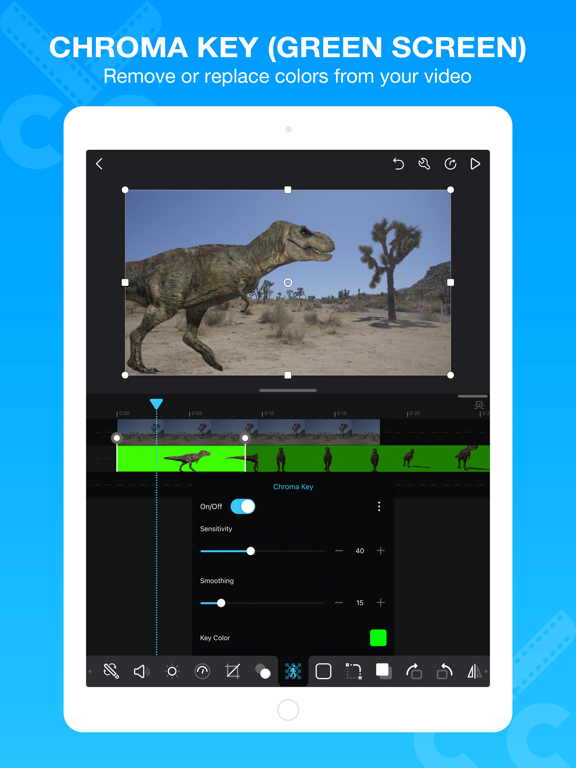
Besides providing the utilities of a common video editor, Cute CUT brings to the table exceptionally advanced, Hollywood-style editing functionality!
We’re continually working to enrich and strengthen Cute CUT’s top-tier functionality, and its refreshingly simple, unique presence in today’s digital market. Are you with us? Join more than one million others who’ve dared to discover the delightful difference that’s Cute CUT!
===================================================================
Key Features:
- User-Friendly UI.
Just drag and drop; you can arrange your media segments easily.
Sleek, bookshelf-style organizer showcases your movies.
UI supports both portrait and landscape modes.
- Make DIFFERENT movies, make movies DIFFERENT!
Supports SIMULTANEOUS Adding of UP TO SIX different types of media into movie projects: Video, Photo (both from Album or Camera), as well as SELF-DRAW, Text, Music, and Voice.
- Supports various Resolutions and Aspect Ratios, including HD (16:9, 19.5:9 and 21:9), SD (4:3 and 5:4), SQUARE (1:1) and even Portrait Mode!
Creating a PIP (Picture-In-Picture) movie is EASY: Merely place one movie atop another; Cute CUT even supports independent Resizing of each and every video segment!
- Draw directly on movie.
30+ drawing tools.
- 3 Advanced Brushes for pro effects: Texture, Linear Gradient, Radial Gradient, gradients editable.
- Highly customizable transitions.
- 20+ Pre-Defined Transitions.
- Transparency, Border, Corner, Shadow, Transform, and Sound Volume ... ALL Customizable!
- Share Your Movie.
Export to Camera Roll.
Send to YouTube/Facebook.
Send via e-mail.
- Multiple Tutorials, and even Full Video Walkthroughs available, easily accessible.
===================================================================
You can upgrade to Pro to obtain the following features.
1. Watermark-free movies.
2. Unlimited movie length.
3. No Ad.
4. 4K ultra HD movie exporting.
5. More music tracks.
6. More stickers.
Cute CUT is available BOTH on iPhone and iPad.
Homepage: https://cutecut2.mobivio.com
Feedback and Support: support@mobivio.com
--
Cute CUT - Video Editor&Maker van 波 余 is een app voor iPhone, iPad en iPod touch met iOS versie 13.0 of hoger, geschikt bevonden voor gebruikers met leeftijden vanaf 4 jaar.
Informatie voor Cute CUT - Video Editor&Makeris het laatst vergeleken op 22 Oct om 12:39.