
LET OP: Downloads verlopen via de App Store, controleer daar altijd de meest actuele prijs, compatibiliteit en andere informatie. Je hebt een actief Apple account nodig om apps te installeren.
Classkick is a free app that students work on and get help instantly from their teacher and peers.
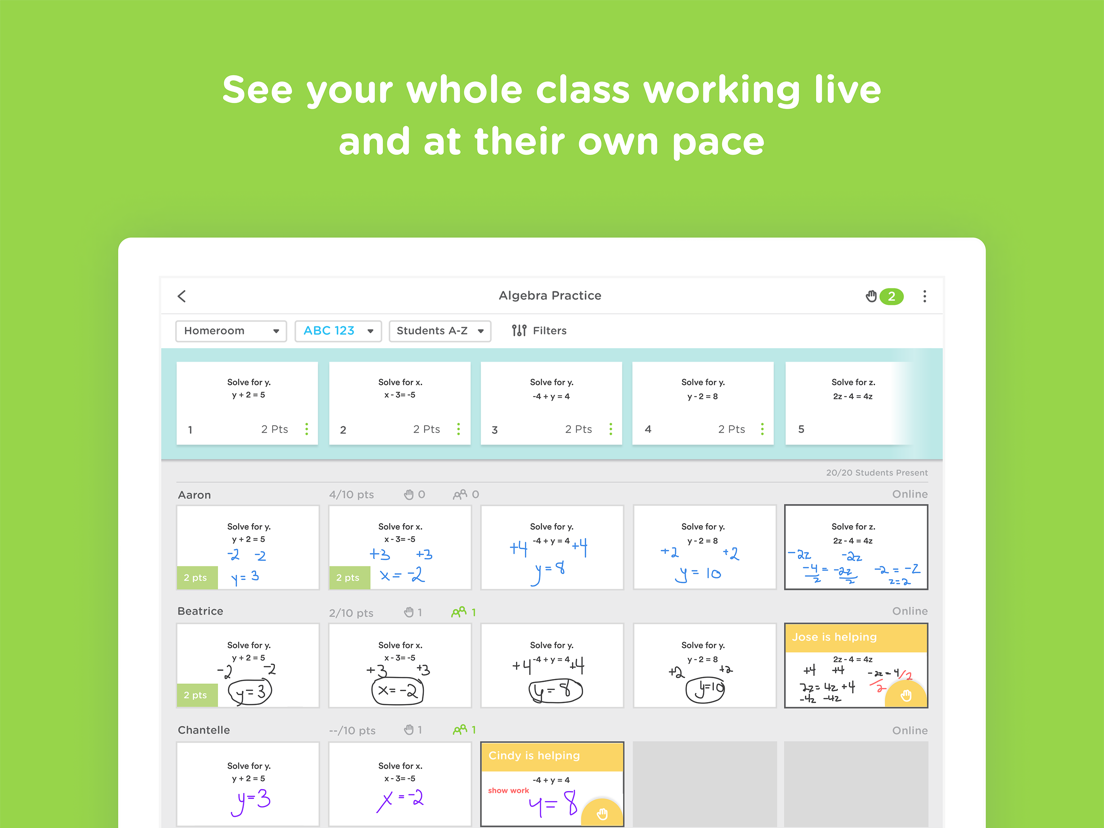
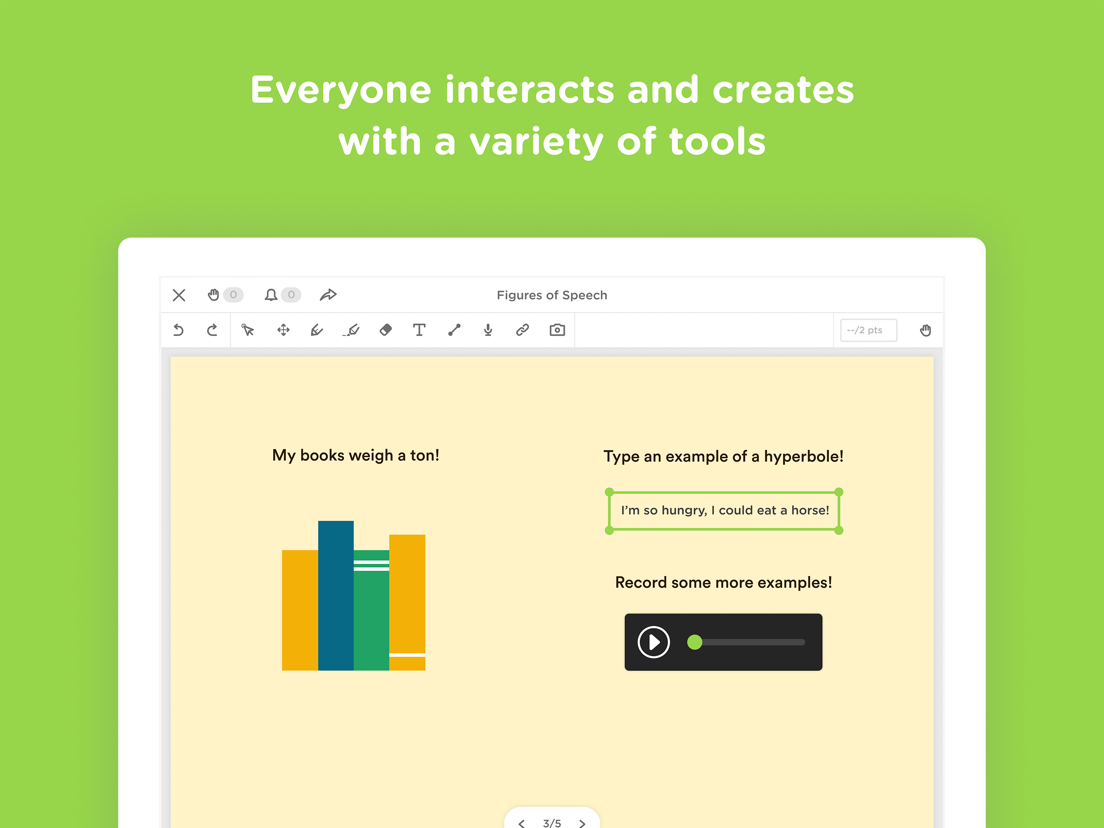
Students work on assignments with their Chromebooks, laptops, or iPads, while getting help from teachers and peers instantly. Teachers create assignments, see all their students’ work in real-time, and give LOTS of student feedback. Best of all, students can help each other anonymously.
Using Classkick, feedback to students increases by 300% and grading time is cut in half.
“Classkick is every teacher’s dream.” - Lynne Shalman, Chapin School
“Students love Classkick...it was magic!” - Greg Port, Seton College
TEACHERS...
- CREATE paperless assignments using existing worksheets, audio, video or web content.
- SEE every students’ work simultaneously.
- GIVE instant feedback when it is most important.
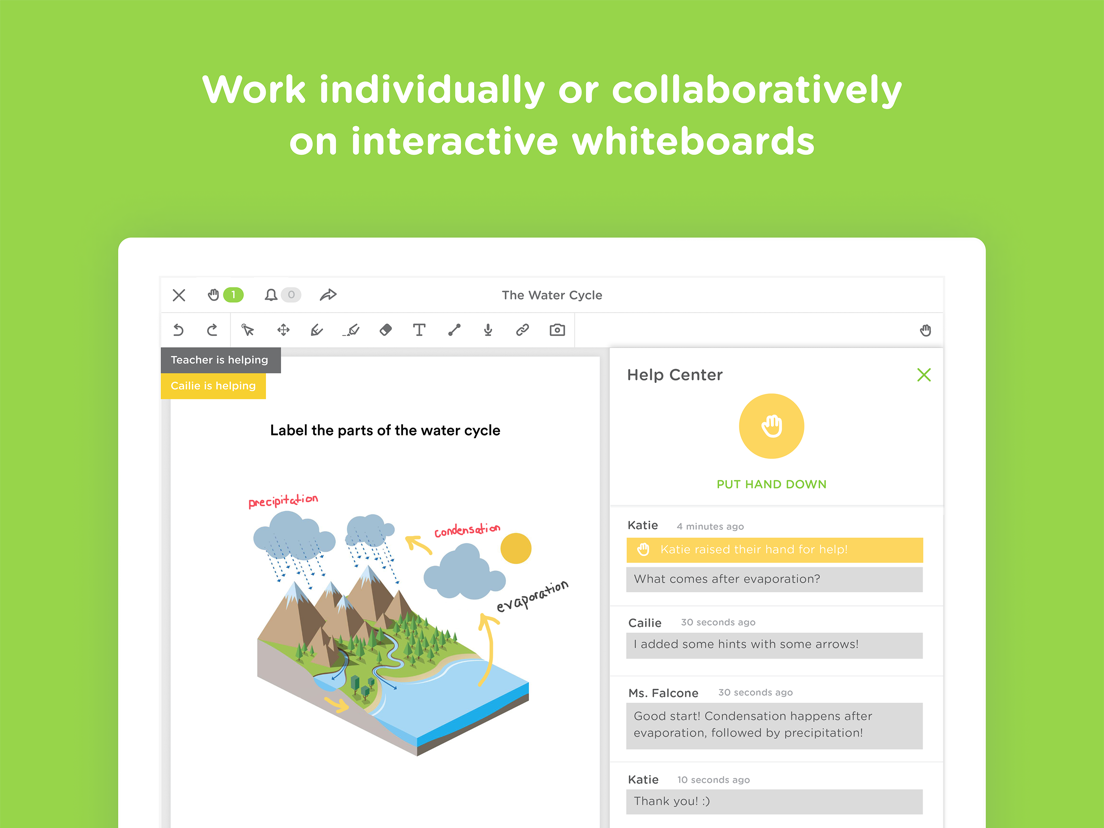
- FACILITATE peer-to-peer feedback and learning.
STUDENTS...
- WORK at their own pace and even on their own time.
- ASK for help privately.
- HELP their peers.
USE IT...
- in class or at home.
- in traditional or flipped classrooms.
- as a group together or on your own time individually.
FOR…
- assignments
- quizzes
- station work
- do nows/exit slips
- guided practice
- independent practice
- homework
--
Classkick van Classwork Co is een iPad app met iOS versie 15 of hoger, geschikt bevonden voor gebruikers met leeftijden vanaf 4 jaar.
Informatie voor Classkickis het laatst vergeleken op 10 Oct om 01:19.



Informatie
- Releasedatum:27 Aug 2014
- Bijgewerkt:29 Sep 2026
- Versie:4.128.0
- Compatibiliteit:Vereist iOS 15 of nieuwer. Alleen voor iPad.
- Grootte:76.1 MB
- Leeftijd:4+ jaar
- Beoordeling:1.9 van 5
- Categorie:
Nieuw in versie 4.128.0
New in this release:
• Control who sees audio transcripts — turn transcriptions on or off for a whole roster assignment, and override that setting on individual recordings.
• AI fill-in-the-blank questions — support for collapsible fill-in-the-blank questions, with easier-to-grab handles.
• Bug fix to restore support for deep links and Google Classroom links.
New in recent releases:
• Bring students to this slide: Teachers can now pull the whole class to the question they're talking about.
• The whole class view now supports animated gifs!
• Performance updates and improvements.
• Lasso tool: Adds a basic lasso selection tool to the legacy teacher canvas. (Lasso is now available for students in the Classkick Student app).
• Adds support for read only AI Fill In The Blank (Students have access to AI Fill In The Blank in the Classkick Student app).
• Legacy app can now read calligraphic pen strokes and render oversized textboxes created in the new app.
• Classkick now proudly offers support for the following languages: Arabic, Chinese (Hong Kong), French, French (Canadian), German, Japanese, Korean, Spanish, and Spanish (United States).
• Student Helper is now live. Now with dramatically improved launch times for teachers and students alike!
• Updates brand colors throughout the app.
• Student Helper
• Turning it on applies to that specific roster on that specific assignment. You can turn it off at any time, and all conversations on that assignment and roster will end.
• When you turn it on, your students can summon an Instant Helper.
• It looks at the assignment and the student's work and helps them where they're stuck!
• It takes them one step closer to the correct answer at a time.
• Instant Helper speaks to students on their level.
• Instant Helper does not give students the answer.
• All conversations occur in the student work chat history and can be reviewed by the teacher at any time.
• You spoke, we listened. The math keyboard now boasts increased compatibility and stability with assignments created on the web!
• Image caching added for newly uploaded images, saving time on downloads!
• Adds Assignments in this Class. Now the Manage Roster View has a tab devoted specifically to handing out and viewing assignments in this class.
• Fix for the math tool.
• Fix for PDF Export affecting a good number of teachers and students.
• Fix for an old bug causing the cover slide to temporarily expose the contents of a slide when students first visit it.
Recent bug fixes:
• Other stability fixes and improvements.
Recensies
Prima app
MeerPrima app om van leerlingen te zien wat ze precies doen. Terwijl ze bezig zijn kun je feedback geven.
4door T H**03/02/2022Effectief hulpmiddel
MeerPrima manier om snel inzicht te krijgen in voortgang van leerlingen. En nog belangrijker: hen inzicht te geven in hun eigen voortgang. Gebruik het veel om formatief te toetsen. Feedback optie is daarvoor prima geschikt.
Jammer dat het programma op een smartphone (die veel ll-en bij zich hebben) niet zo goed werkt.4door Jas*******07/05/2020Jammer
MeerDeze app zorgt voor nog minder communicatie tussen leerling en leerkracht zo word het een saaie boel in de klas want iedereen zit op zijn iPad/Mac.
2door Bas*******21/04/2019
Reageer op deze app
Dit vind je misschien ook leuk

Laatste reacties
- Soundmaster zei over UNDOK: "UNDOK werkt niet meer na installatie iOS27! Alle richtlijnen..."
- Ryan zei over James-Horeca: "Zeer teleurstellende ervaring Helaas heb ik een erg negatieve..."
- Ro Rare zei over myOpel: "LoL dat een company als Opel zo'n slecht functionerende..."
- Jo zei over Word Domination: "Leuke ap enkel wel heel jammer als je een nieuwe booster wilt..."
- Marc Van Hoey zei over Belfius Mobile: "beste, iPadgebruik, na laatste update, app. belfius mobile,..."
- Sanne zei over GoWish: "Ik heb deze eerst gebruikt, maar toch wel erg Amerikaans.. Ik..."
- Frederik Visser zei over Talkie: Tekst naar Spraak: "Ik ben op zoek naar ervaringen van gebruikers van de pro..."
- Frederik Visser zei over Talkie: Tekst naar Spraak: "Ik ben op zoek naar ervaringen van gebruikers van de pro..."
- Mario van Gool zei over Vue NL: "1 groot drama. Account van mijn zoon niet meer in te loggen...."